Product Spotlight: Customer Agent
A hands-on look at HubSpot’s AI-powered Customer Agent.
Graham O'Connor - Product Manager - HubSpot
2:05 PM - 2:30 PM
Join Graham for a live demo of HubSpot’s new Customer Agent, explore its latest updates, see how to set it up, and discover the future roadmap of this AI tool, including a Q&A session with the audience.
This recording features a live, hands-on walkthrough of HubSpot’s AI-powered Customer Agent, led by Graham O’Connor, Product Manager at HubSpot.
During the session, Graham demonstrates how to set up the Customer Agent from scratch, configure its personality and training content, deploy it across multiple channels, and manage human handoff scenarios. Viewers will also gain insight into how the tool is evolving, including new automation capabilities and future roadmap plans, followed by a live audience Q&A.
Session Summary
The summary below provides a structured breakdown of the key moments from the session. It highlights the main concepts, configuration steps, and product capabilities demonstrated during the live demo, making it easy to understand how Customer Agent works and how teams can apply it in real-world scenarios.

Introducing HubSpot’s Customer Agent and Its Expanding Role
Graham opens the session by introducing himself and providing context on the evolution of HubSpot’s Customer Agent. Originally launched at INBOUND as a customer service–focused AI tool, the agent was designed to handle repetitive support questions, allowing human agents to focus on more complex, high-value interactions. The core goal was efficiency without sacrificing customer experience.
Over time, usage patterns revealed that Customer Agent was not only supporting existing customers but also engaging with prospects asking about pricing, features, and product fit. This broader adoption led HubSpot to expand availability beyond Service Hub, making Customer Agent accessible across all Pro+ hubs. As a result, the tool is now positioned as a cross-functional AI assistant relevant to service, sales, and marketing teams alike.
Creating and Configuring a Customer Agent
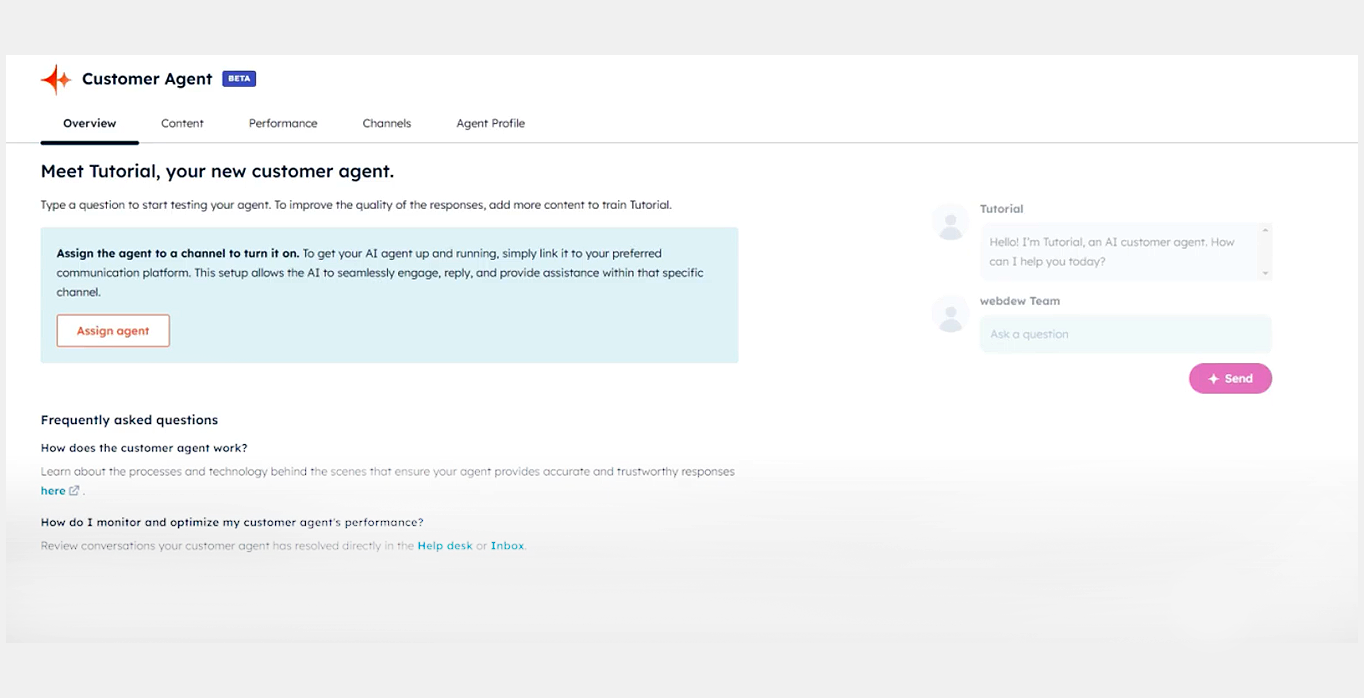
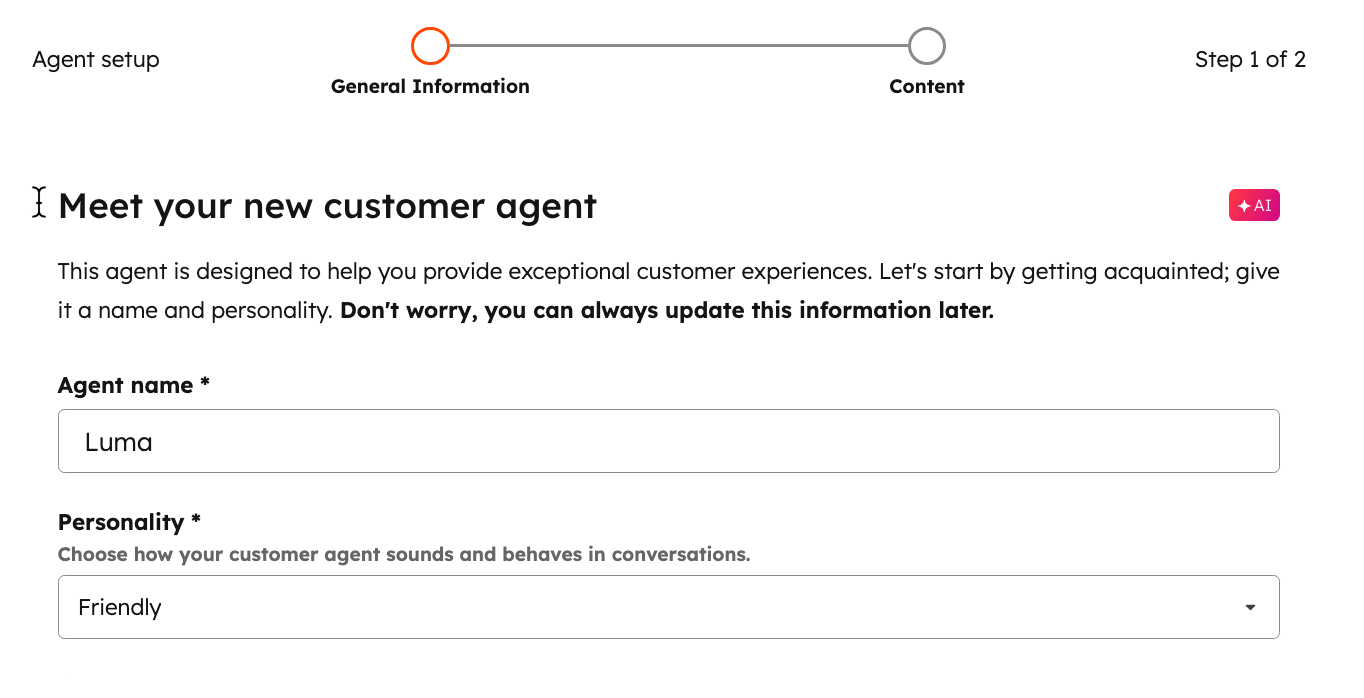
The live demo begins with the creation of a new agent, showing how quick and accessible the setup process is. Graham demonstrates naming the agent, assigning it a role, and selecting a personality, such as friendly or professional. He also highlights the option to apply an existing brand voice configured elsewhere in HubSpot, ensuring consistent tone across customer interactions.
This configuration stage emphasises flexibility and brand alignment. While pre-set personality options are available out of the box, teams can tailor the agent to reflect their company’s voice and communication style. The process reinforces that setting up an AI agent does not require technical expertise and can be completed in minutes.


Training the Agent with Knowledge and Content
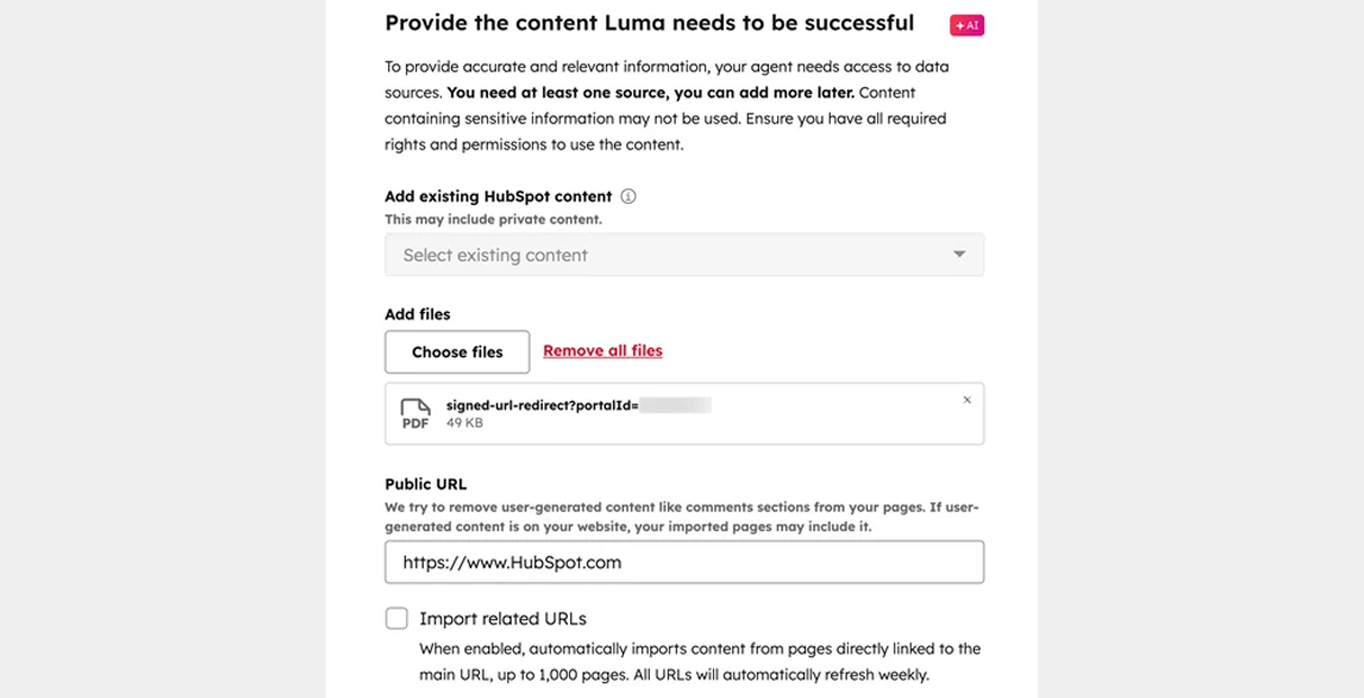
Training is presented as the most critical factor in determining the agent’s success. Graham explains that the quality of responses depends entirely on the content provided, encouraging teams to gather strong source material before deployment. Knowledge bases, help centres, websites, blogs, landing pages, and uploaded documents can all be used to train the agent.
The demo shows how content can be selected directly from HubSpot or added via external files and public URLs. Once the content is chosen, the agent is trained automatically and notifies users when it is ready. This step illustrates how Customer Agent transforms existing documentation into a conversational support experience without duplicating work.
Testing, Deployment, and Human Handoff
Once trained, the agent can be tested using a built-in preview environment. Graham demonstrates how the agent responds to common customer questions and cites its sources, increasing transparency and trust. When ready, the agent is deployed through an assignment flow that determines which channels it operates on, including live chat, WhatsApp, Facebook Messenger, and email.
A key focus is human handoff configuration. Graham shows how the agent escalates conversations when it cannot confidently answer a question or when a user requests human support. These handoffs can route to available agents or unassigned queues, ensuring no conversations are lost while maintaining a seamless customer experience across synchronous and asynchronous channels.


Improving Performance and Introducing Actions
The session then shifts to ongoing optimisation through knowledge gap tracking. Customer Agent automatically flags unanswered or poorly handled questions, allowing teams to review conversations and close gaps by adding short answers, linking articles, or expanding content. This continuous improvement loop ensures the agent becomes more effective over time.
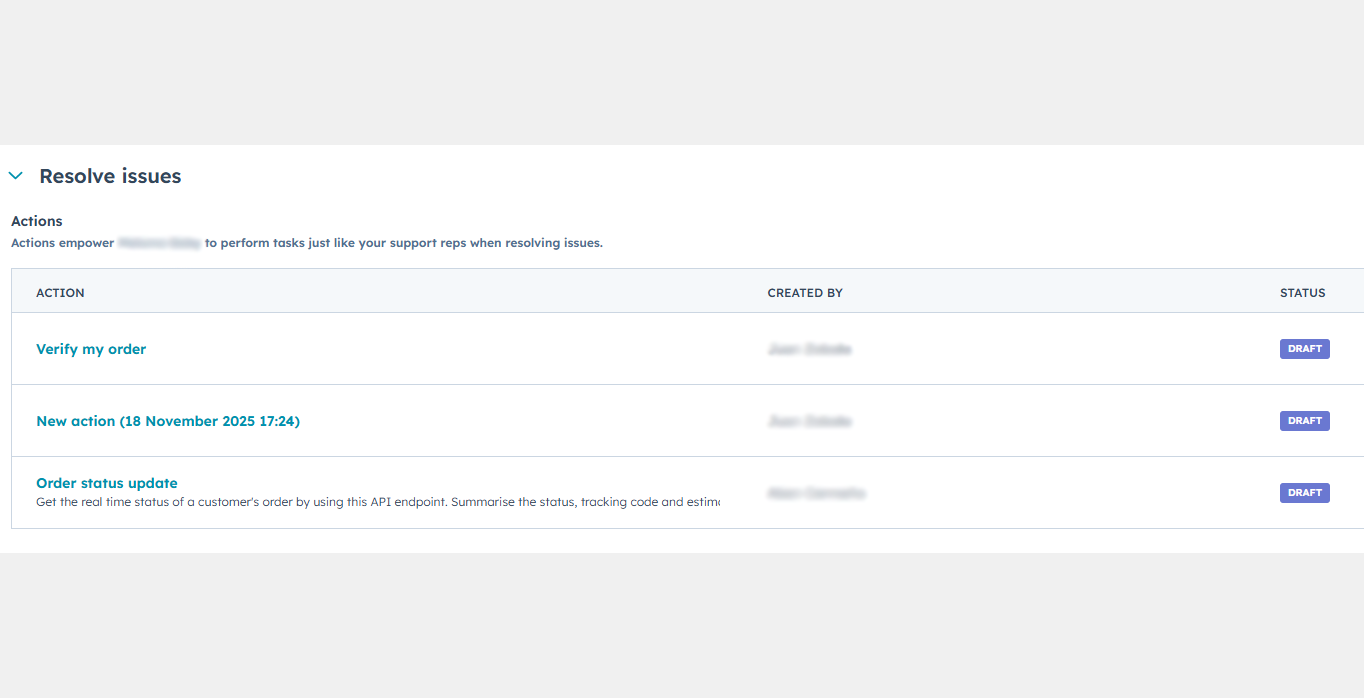
Graham also introduces “actions”, a powerful new capability that allows the agent to complete tasks on a customer’s behalf. By connecting to external APIs, actions enable the agent to perform operations such as resetting passwords rather than simply providing instructions. These actions are triggered by specific phrases, require user confirmation, and represent a move towards more autonomous, task-completing AI experiences.
Q&A Highlights:
Will the lead qualification experience work only on live chat, or across other channels as well?
The lead qualification experience will work across all supported channels. Everything demonstrated during the session applies universally, including live chat, WhatsApp, Facebook Messenger, and email. The main difference between channels is the interaction style rather than capability.
Instant channels like live chat, WhatsApp, and Messenger are designed for fast, back-and-forth conversations and allow immediate human handoff. Email, on the other hand, is treated as a slower, asynchronous channel, so the experience feels more like an ongoing conversation over time. While the flow differs slightly, the underlying features — including lead qualification — remain consistent across channels.
How does the experience differ between live channels and email?
Live channels such as website chat, Facebook Messenger, and WhatsApp are considered synchronous, meaning users expect immediate responses and quick escalation to a human when needed. This makes human handoff feel instant and conversational.
Email is treated as an asynchronous channel, where users expect slower responses. As a result, the interaction model is adjusted to match that expectation. While the pacing and flow differ, the same capabilities — including qualification, automation, and handoff logic — are still supported.
Can the Customer Agent be limited to interactions with confirmed customers only, such as for customer reviews?
Graham clarifies that this type of setup would require confirming that the person interacting with the agent is an actual customer. While the transcript cuts off before a full technical explanation is given, the implication is that channel configuration and logic would be used to control when and where the agent appears, depending on whether the user can be identified as a customer.

Sales Workspace
Explore the latest Sales Workspace tools and how they help boost productivity and improve pipeline visibility. Katie Magorrian from HubSpot’s Customer Success team walks through real scenarios and shares best practices to help your sales team get the most out of the workspace.
✦ Dublin HubSpot User Group
Prospecting Agent & Target Account
Explore the latest AI-powered sales tools in HubSpot, including the Prospecting Agent and new Target Accounts features. Fiachrá Duffy demos what’s possible and dives into a live Q&A on how sales teams can get the most from these updates.
✦ Dublin HubSpot User Group
Prospecting Agent & Target Account
Explore the latest AI-powered sales tools in HubSpot, including the Prospecting Agent and new Target Accounts features. Fiachrá Duffy demos what’s possible and dives into a live Q&A on how sales teams can get the most from these updates.
✦ Dublin HubSpot User Group
.png?width=300&height=76&name=Dublin%20HUG_banner_2560x650_UnlockPortal_v01%20(1).png)