-1.png)
Advanced Customer Agent Use Cases with Actions
Turn conversations into automated workflows.
Juan Zabala - Technology Director - Cat Media
9:40 AM – 10:00 AM
Juan will walk through how Actions extend the Customer Agent beyond conversation, connecting to external systems, triggering secure processes, and enabling real operational automation. He’ll share how Actions work, explore real and illustrative use cases, and show how teams can evolve their Customer Agent as they learn from customer data.
This recording captures the session led by Juan Zabala from Cat Media, who introduced the concept of Customer Agent actions and the role in securely connecting HubSpot AI with external business systems. Before diving into the hands-on workshop, Juan presented three real-world use cases and demonstrated how guardrails, validation, and backend logic ensure that AI-powered automations behave safely, ethically and accurately.
His introduction laid the groundwork for understanding not just what Customer Agent can do, but also how it can be extended through custom actions and middleware, creating robust, secure integrations that reflect real business processes. This recording provides a clear technical foundation before the workshop moves into the live build.
Session Summary
The summary below distils the five essential themes from Juan’s talk, each highlighting a practical scenario or principle demonstrated live, reflecting how the Customer Agent actions unlock sophisticated use cases across ecommerce, authentication, troubleshooting, device monitoring, and any system with a REST API or webhook.

Understanding the Role of Customer Agent Actions
Juan opened by explaining the core purpose of actions in Customer Agent: enabling the agent to interact with external systems in a controlled, secure, and structured manner. Actions allow Customer Agent to perform meaningful, operational tasks rather than simply chat — including retrieving information, updating records, verifying user credentials, or triggering processes across connected tools. This transforms the agent from a conversational layer into an active part of a company’s digital infrastructure.
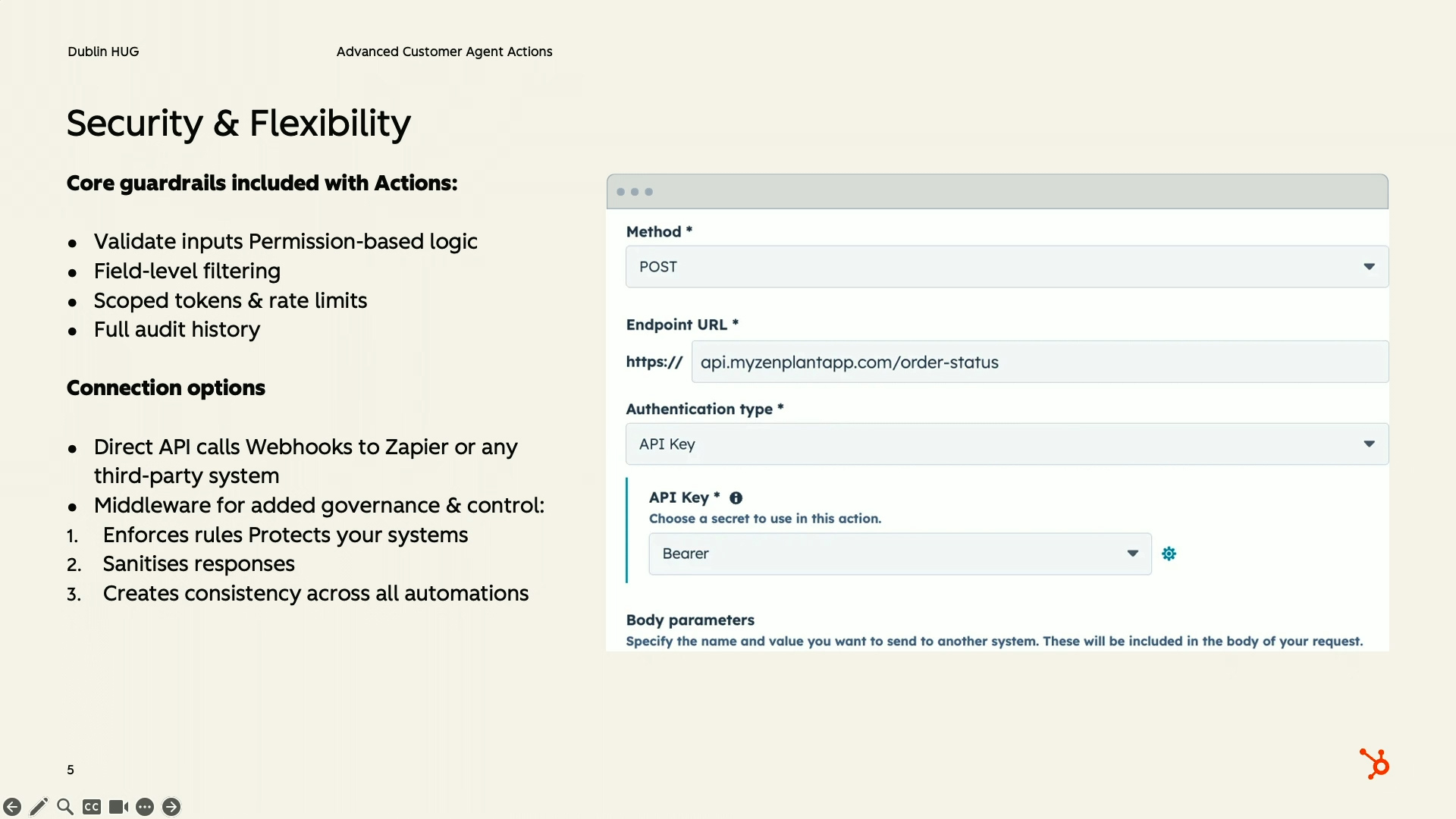
He stressed that actions must be designed thoughtfully. Because they can access databases or trigger operations, the API layer should enforce rules, validations, and boundaries. Customer Agent should never have direct, uncontrolled access to systems — instead, middleware acts as a safe translator. This principle of “intelligent but limited autonomy” is what keeps AI both powerful and safe.
Keeping It Safe: Guardrails, Verification & Access Control
Security was a central theme. Juan acknowledged the concern many businesses share: giving AI access to data feels risky if not properly managed. He explained that every action must include backend guardrails, such as role checks, identity validation, property restrictions and API-level error handling. This ensures the agent never exposes information or performs operations it shouldn’t.
He highlighted the importance of two-factor verification logic, particularly when dealing with customer data where a single identifier (e.g., an order number) is not enough. Customer Agent never bypasses restrictions — it simply returns the safe, curated output from your middleware. The combination of secure APIs and HubSpot’s own “sensitive data” protection guarantees that the agent never overreaches.

Scenario One: Secure Order Tracking With Two-Factor Verification
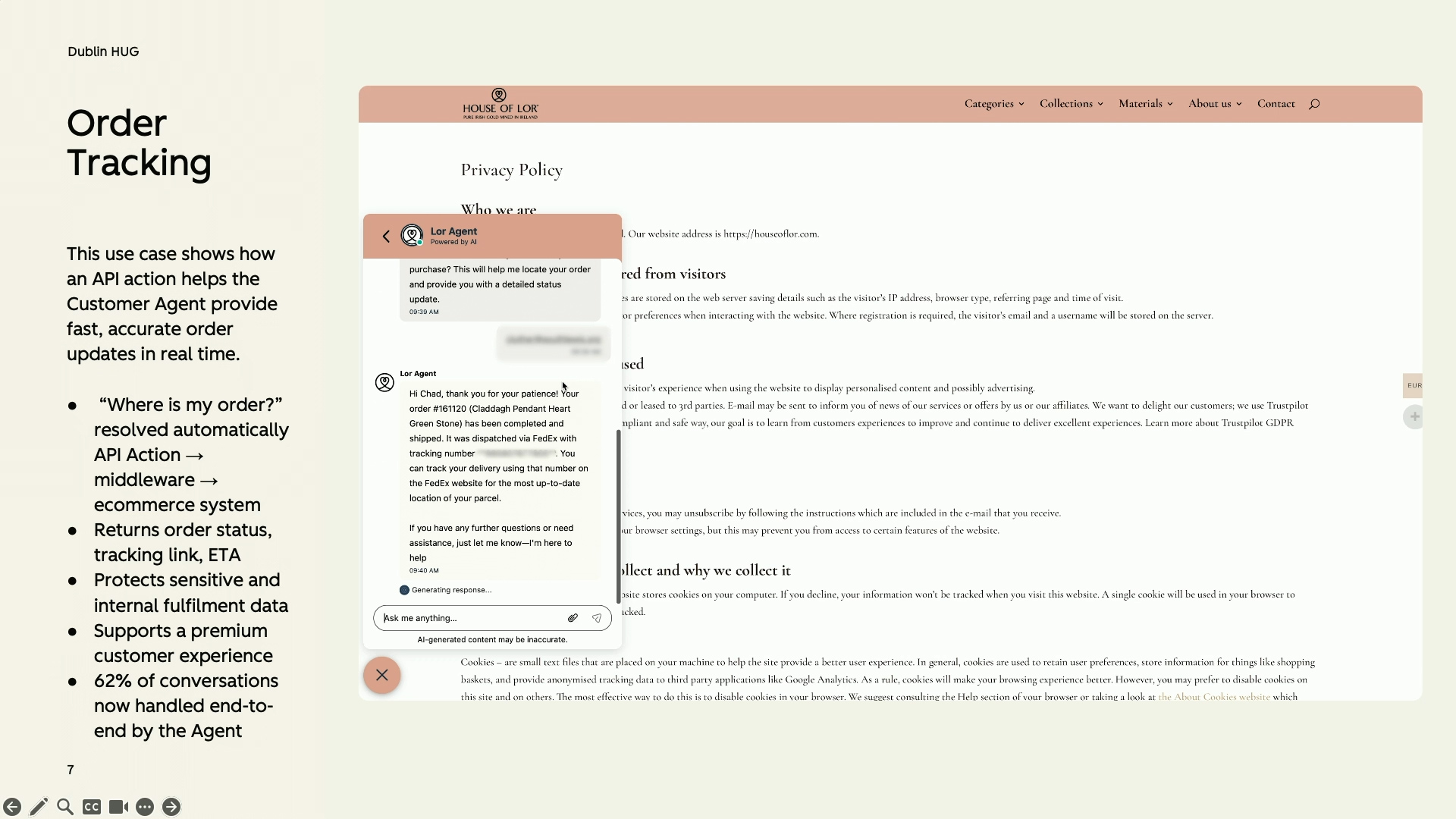
Juan demonstrated a real scenario from an Irish luxury ecommerce brand using WooCommerce. In the demo, a customer asked, “Where is my order?” and the agent requested both an order number and email address. The middleware checked if the email matched the order record. If correct, the agent provided tracking details in clean, conversational language.
When Juan intentionally provided the wrong email, the API responded with a secure error message, preventing data exposure. Customer Agent softened this into natural language, explaining that the details couldn’t be shared without both valid identifiers. This showcased exactly how actions + guardrails create safe, human-like service without compromising privacy.
Scenario Two: Password Reset With Role Restrictions
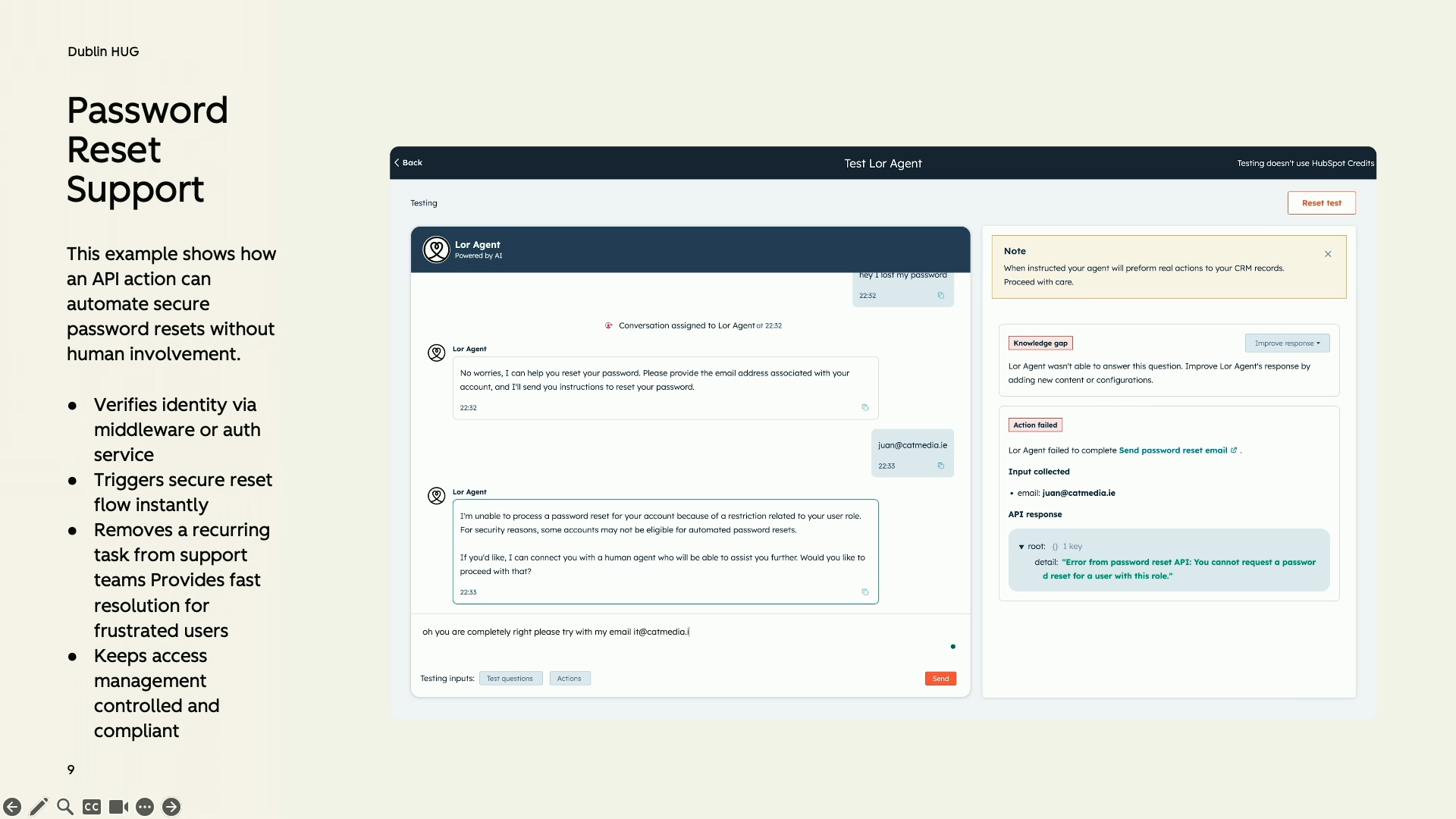
The second scenario showed a password-reset flow integrated with WordPress. Juan demonstrated how actions can prevent inappropriate behaviour — in this case, blocking password resets for super admin accounts to avoid security breaches. When he attempted a reset using a super admin email, the middleware returned a controlled error, and the agent explained that this user role could not reset their password via chat.
After switching to a subscriber-level user, the reset proceeded successfully. The agent confirmed that the reset email had been sent, demonstrating how actions can deliver operational outcomes instantly. This scenario illustrated a perfect blend of automation, safety and business logic — all tailored by the API, not the AI model.


Scenario Three: AI-Powered Device Troubleshooting & Creative Integrations
In the final scenario, Juan explored how Customer Agent can be used far beyond e-commerce. He showed a case involving IoT-style devices for a UK-based company where the agent could retrieve device status, diagnose connectivity issues, and provide user-friendly troubleshooting steps. Again, this was only possible because the agent connected to a secure backend, which filtered data and ensured only safe information reached customers.
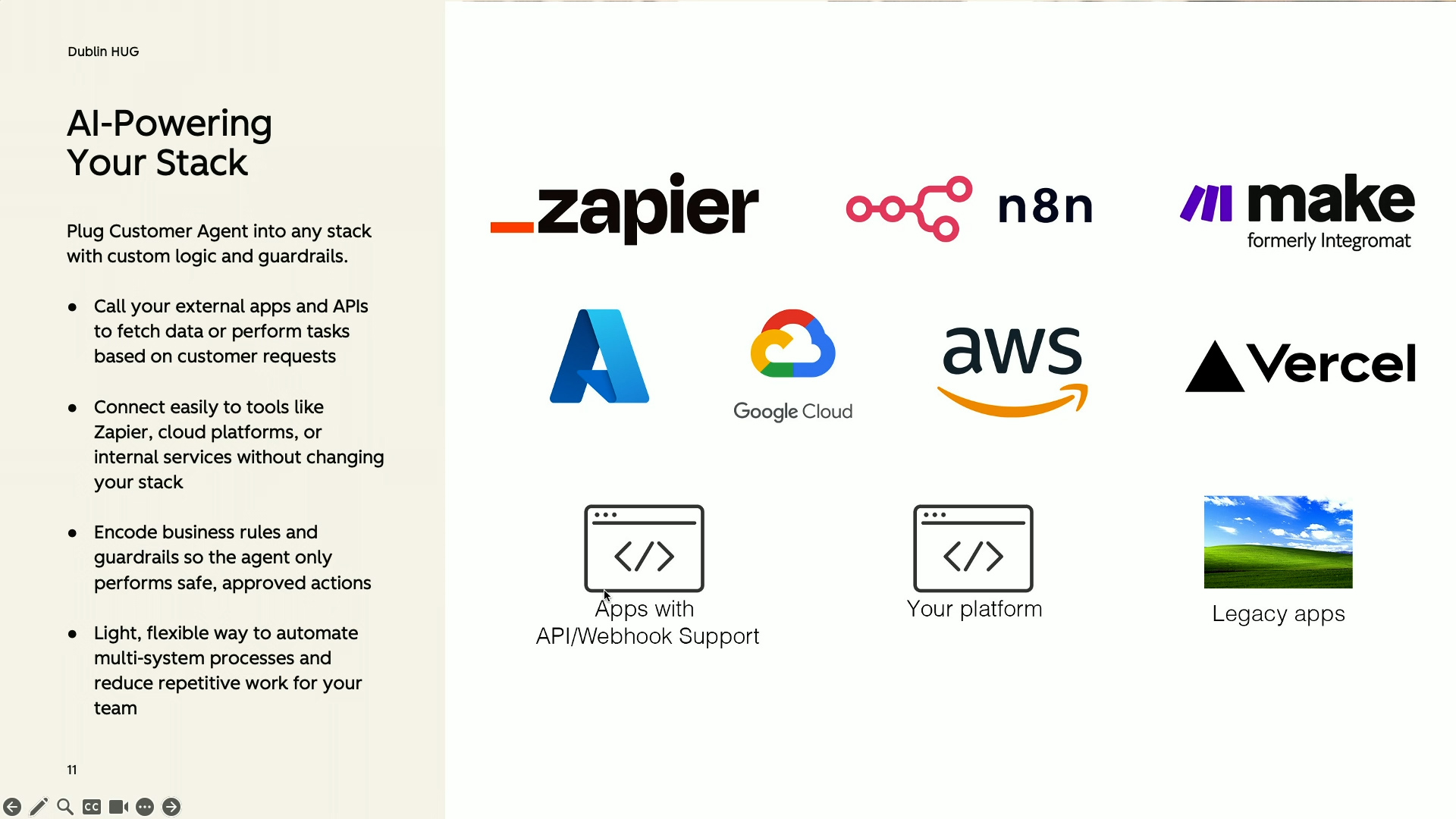
Juan closed by highlighting how flexible actions can be: any REST API, webhook, cloud function or internal platform can be connected. Even legacy systems can be integrated with the right abstraction layer. This approach enables companies to embed their business logic into the agent — from stock checks to warranty validation, logistics, HR processes or field service scenarios — giving Customer Agent the power to automate entire workflows safely.
Q&A
Can the customer agent connect to a database and be used as a reporting tool (for example, to ask “what vehicles have had the most repair work in the last six months”)? Will it generate visual reports like graphs or tables?
Yes, you can connect the customer agent to your database and use it in a reporting-style way, but you need an abstraction layer or middleware in front of the data. The agent doesn’t directly query your database by itself; instead, it talks to an API or webhook that you build. That API then handles the logic of taking a natural language question like “What vehicles have had the most repair work done in the last six months?”, translating it into the right query against your systems, and returning a structured answer that the agent can turn into human-friendly language.
The agent is primarily a customer-facing, text-based interface. It won’t automatically build full BI dashboards or complex graphical reports on its own. However, if your abstraction layer or backend service can assemble the data and even generate tables or visual-ready summaries, the agent can present those results back in a clear way and explain them. In practice, this means you can absolutely use it to surface insights from transport or maintenance data, as long as you have an API that exposes the relevant metrics and filters, and then let the agent handle the conversation and explanation layer on top.
If I have sensitive data turned on in HubSpot (for example HR files, payslips, health information), does the customer agent still work?
The customer agent will still work when sensitive data is enabled in HubSpot, but it will only be able to access the properties and data you explicitly allow. You control which properties the agent can see; if you don’t grant access to certain properties, the agent simply won’t be able to read or use them. This is especially important in HR or compliance-heavy contexts, where you might be storing staff files, payslips, and health-related information.
When a property is marked as sensitive data in HubSpot, the intention is that none of the AI tools, including the customer agent, should be able to access it. Sensitive properties are effectively shielded from the agent, so as long as you configure your properties correctly and avoid exposing them via the permissions you give the agent, that information will remain inaccessible. In practice, this means you can still benefit from an AI-powered customer agent for safe use cases, while keeping highly sensitive HR and onboarding data protected behind the sensitive data settings and property-level access controls.

Sales Workspace
Explore the latest Sales Workspace tools and how they help boost productivity and improve pipeline visibility. Katie Magorrian from HubSpot’s Customer Success team walks through real scenarios and shares best practices to help your sales team get the most out of the workspace.
✦ Dublin HubSpot User Group
Prospecting Agent & Target Account
Explore the latest AI-powered sales tools in HubSpot, including the Prospecting Agent and new Target Accounts features. Fiachrá Duffy demos what’s possible and dives into a live Q&A on how sales teams can get the most from these updates.
✦ Dublin HubSpot User Group
Prospecting Agent & Target Account
Explore the latest AI-powered sales tools in HubSpot, including the Prospecting Agent and new Target Accounts features. Fiachrá Duffy demos what’s possible and dives into a live Q&A on how sales teams can get the most from these updates.
✦ Dublin HubSpot User Group