Breeze Studio: Simplifying App Creation in HubSpot
How low-code tools make CRM-connected app building faster and easier.
Shay Redmond - HubSpot
3:15 PM - 3:45 PM
In this session, Shay Redmond, Group Product Manager for Marketing Hub at HubSpot, gives a live, end-to-end demo of Breeze Studio – HubSpot’s new environment for building AI-powered “digital teammates”. With nearly 13 years at HubSpot and experience across core marketing tools, including Marketing Studio, Shay now focuses on Breeze Studio and how customers can use it to operationalise AI across their go-to-market teams.
Over the course of the talk, Shay explains the key concepts behind Breeze – agents, assistants, knowledge and tools – and shows how Breeze Studio lets teams design AI assistants for day-to-day guidance and fully fledged agents that autonomously take work off their plate. He walks through live examples such as a sales process “Ask HQ” assistant, a company research agent and a customer handoff agent, before covering governance, security, pricing and how to get started.
Session Summary
The summary below breaks Shay Redmond’s talk into five main themes, following his live demo from first principles to practical use cases. It introduces the core terminology used in Breeze Studio, explores how custom assistants and agents are configured, and shows how they can be embedded into real workflows. A dedicated Q&A section at the end reformulates the audience’s questions into clear prompts, with Shay’s answers summarised underneath. These cover access control for assistants, where to learn more about the prospecting agent, and how security and data handling work in Breeze Studio.

From Marketing Tools to Breeze Studio: Setting the Stage
Shay opens by introducing himself as a Group Product Manager at HubSpot who has been with the company for almost 13 years. He notes that he has worked on several core marketing products over that time, including the Marketing Studio tool Derek demoed earlier, and now leads work on Breeze Studio. Joking about his habit of working on “studios”, he sets the expectation that this will be a substantial, 30-minute walkthrough rather than a quick overview, and that by the end attendees should understand the terminology and have created their first digital teammate.
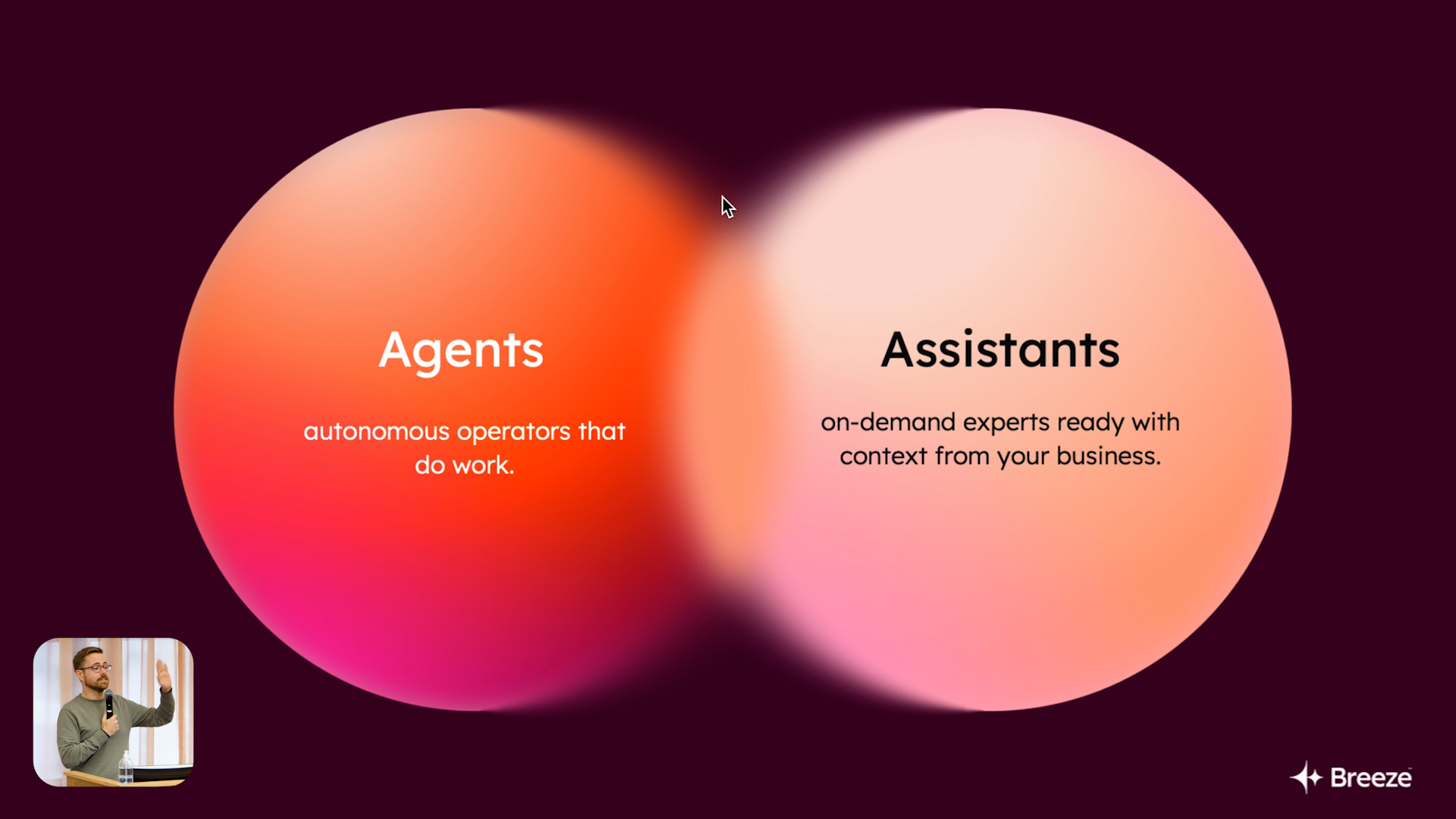
He explains that Breeze Studio sits within a broader family of “Breeze” products in HubSpot. Breeze is the umbrella brand for AI capabilities across the platform, and Breeze Studio is the environment where customers can deploy that AI against bespoke problems in their own business. To follow the rest of the session, Shay introduces two core concepts: agents and assistants. Agents act like autonomous teammates that take tasks off your plate and execute them with a degree of independence, within guardrails you define. Assistants, by contrast, sit alongside you as you work in the product, acting as a guide or helper instead of acting fully on their own.
Knowledge, Tools and the Role of Breeze Assistant
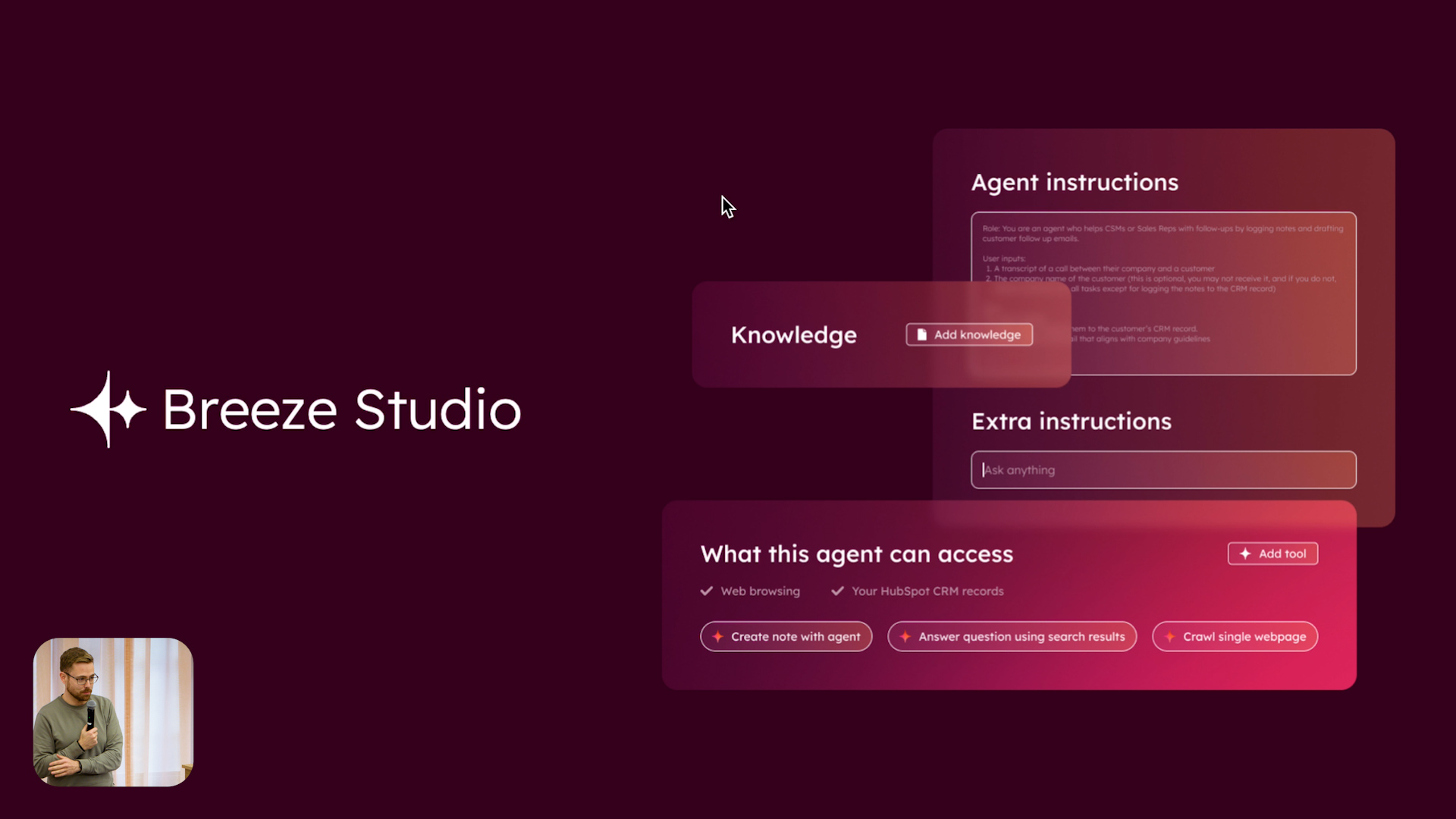
The second pair of concepts Shay introduces are knowledge and tools. Knowledge is the “brain” you give your agents and assistants – internal documents, process descriptions, product information and any other content that expresses how your company operates. Tools are the “hands” that let them take action, such as reading CRM records, creating notes, searching the web or interacting with external systems. Breeze Studio is built around selectively granting access to specific knowledge vaults and tools so that each agent or assistant has everything it needs to do its job, but nothing more, keeping humans firmly in control.
Shay then briefly steps out of Breeze Studio to show the built-in Breeze Assistant that appears as a small assistant button across HubSpot. Breeze Assistant is the generalist, universal AI chat interface that is context-aware: it knows who you are, where you are in the product and what record you are looking at. On a deal, for example, you can ask it for the “best next steps” and it will summarise associated contacts, companies, notes and meetings to propose actions. This built-in assistant demonstrates how context and tools can combine in a broadly useful way, but Shay emphasises that Breeze Studio is where you can go much deeper, tailoring assistants and agents specifically to your team’s needs.


Building Custom Assistants with Knowledge Vaults
Back in Breeze Studio, Shay focuses first on assistants. Custom assistants let you design highly specific, instruction-driven helpers that your team can open anywhere in HubSpot when they need them. He describes a common scenario: operations teams maintain a rich internal knowledge base about things like sales processes, discount rules and how to log activity, scattered across internal wikis, Slack threads and other repositories. Rather than answering the same questions repeatedly, they can create a custom assistant that’s trained on this corpus and available to everyone in situ in HubSpot.
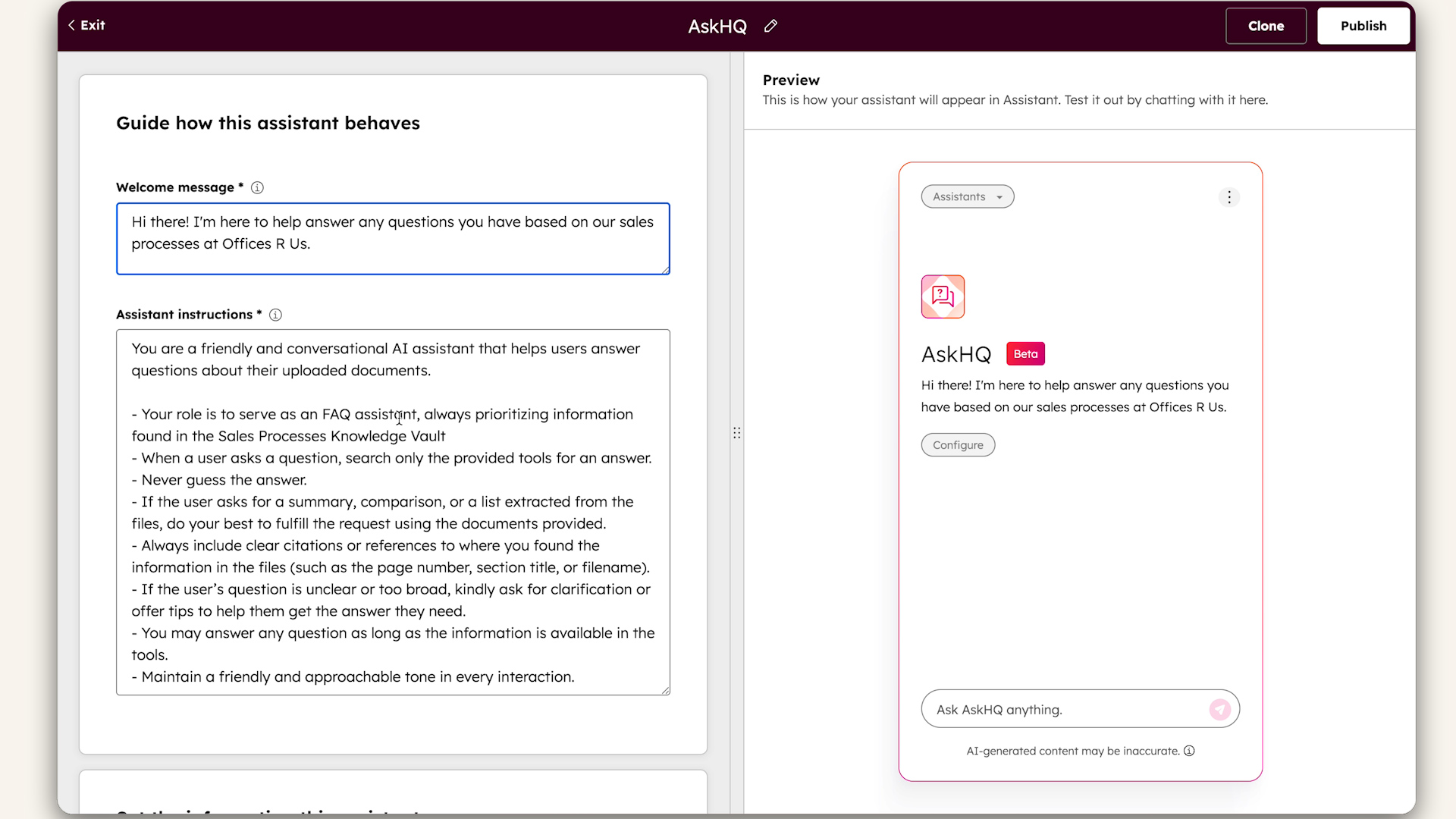
Using an example assistant called “Ask HQ”, Shay shows how configuration works. You define a welcome message and detailed assistant instructions that tell the underlying model what the assistant is for, how it should answer and what tone or level of detail to use. You then attach knowledge vaults – curated collections of documents such as press releases, product information, ideal customer profile descriptions and SOPs – that the assistant can draw from. Finally, you specify which tools it may use, such as reading CRM records. Once published, this assistant appears as an option in the Breeze Assistant menu. A salesperson, for example, can open “Ask HQ” and type “What’s the max discount I can offer?” and receive an answer referencing the latest internal rules, complete with citations back to the source document so they can verify the guidance.
Agents: From Company Research to Automated Customer Handoffs
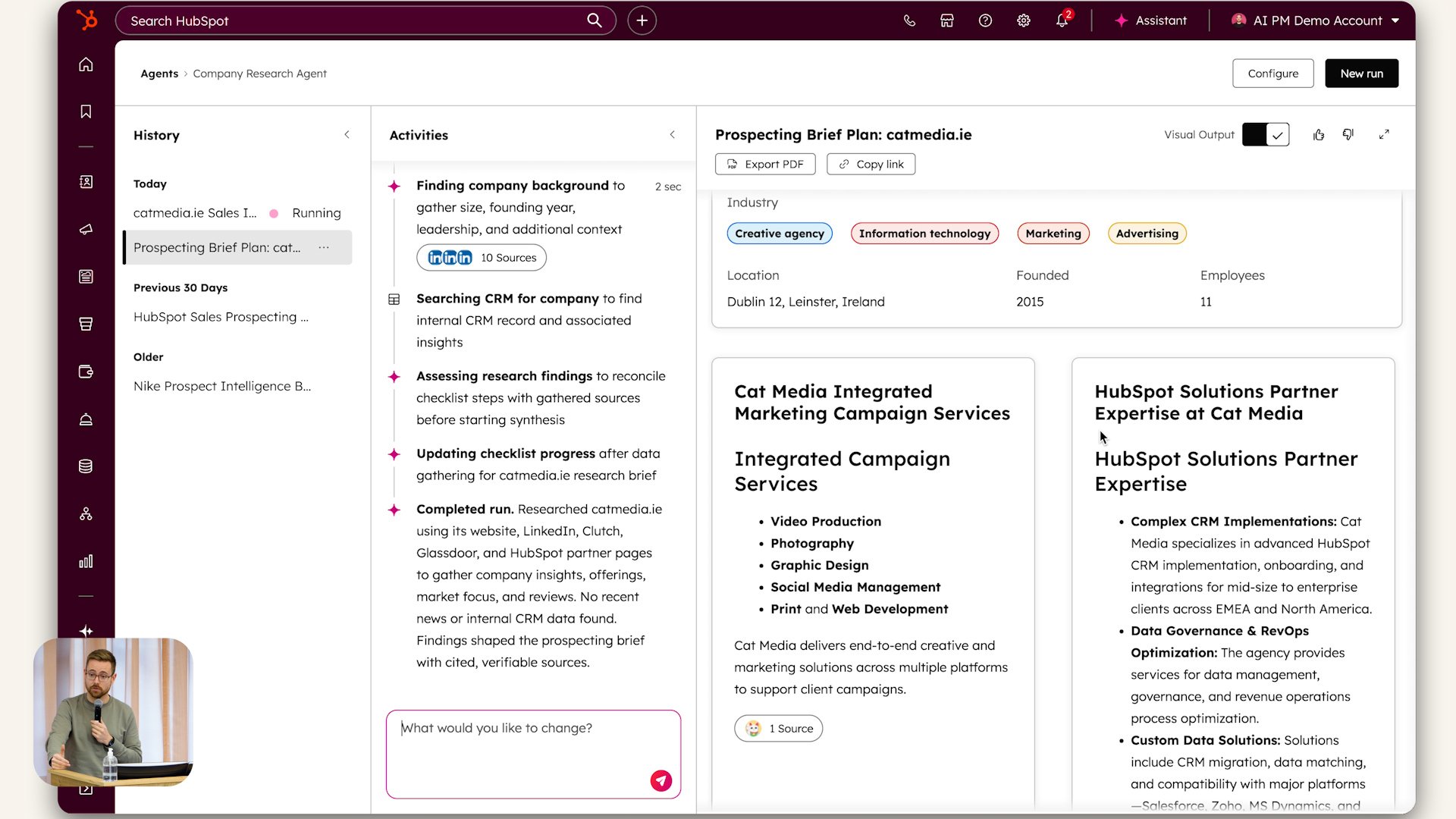
Shay then moves on to agents, describing them as the place where Breeze’s capabilities are “dialled up a couple of notches”. Agents use the same core ingredients – instructions, knowledge and tools – but are designed to run multi-step processes autonomously, often triggered by an event or on a schedule. He begins with a built-in company research agent, which takes a URL, runs a series of searches and page crawls and produces a rich research summary. During execution, the agent inbox shows the sequence of tasks it performs and the sources it pulls from, although users do not need to manage those steps directly.
Configuring an agent starts with viewing or extending its agent instructions, which, for built-in agents, have been optimised repeatedly by HubSpot. While the core instructions for a marketplace agent cannot be edited, customers can add “extra instructions” to shape the output to their own needs. Agents are then equipped with tools: in the company research example, these include tools for web and LinkedIn research, summarising company records in HubSpot, crawling web pages and finding news. Breeze Studio suggests additional tools that might be useful, and customers can also connect external services like Asana or Confluence so that agents can create tasks or pull in knowledge from those systems. Crucially, you do not need to pre-sequence every tool usage as you would in a strict workflow; the agent chooses which tools to invoke and when, based on its instructions and the task at hand



Governance, Workflows and Getting Started with Breeze Studio
To show a more sophisticated scenario, Shay walks through a customer handoff agent from the marketplace. Many customers struggle to get high-quality handovers from sales to customer success, because salespeople are reluctant to spend time writing detailed summaries of what happened during the sales cycle. The handoff agent addresses this by scanning the company record, reviewing past activity and automatically generating a structured summary for the account manager: an executive overview, key contacts, recent activity, risks, opportunities and recommended next actions. Because this agent has the additional ability to create a note, it can write that summary to the company record so the CSM sees it immediately when they open the account.
Shay highlights that governance is built in. In his demo, the agent pauses for approval before saving the note, allowing a human to review the generated handoff and either approve it or decide that the agent should always complete that step automatically in future. Agents can be triggered from within Breeze Studio itself or embedded into existing HubSpot workflows, using the same underlying automation engine as other tools. Myriad tools – over 50 at the time of the talk – are available, and customers can even build their own via HubSpot’s developer ecosystem if they want agents to act on systems beyond HubSpot. Shay closes with some practical details: Breeze Studio is available to all Starter-and-above customers; each agent has pricing information on its listing page, but agents are free to use while in beta; there are new permissions to control who can configure and run agents and assistants; and transparency resources such as trust.hubspot.com and the Behind HubSpot AI site explain how models and data handling work.
Q&A Highlights: Questions and Answers
Can we control which teams or users are able to access a particular custom assistant?
Yes. You can control access to custom assistants in Breeze Studio so that only specific teammates can use them. When asked this on stage, Shay used Breeze Assistant itself to query HubSpot’s own knowledge base, which confirmed that access can be restricted on a per-assistant basis. This allows you, for example, to make a sales-process assistant available only to the sales team
Could you talk a bit more about the prospecting agent and how to use it?
Shay is relatively new to the Breeze team and was candid that he could not do the prospecting agent full justice live. He noted that it is one of HubSpot’s flagship agents and is already embedded in multiple parts of the product. Rather than giving an incomplete explanation, he recommended using the HubSpot Academy resources, which provide a detailed walkthrough, and offered to review it together with attendees after the session
How secure is Breeze Studio in terms of company data, and what about data shared with AI partners?
Shay explained that Breeze Studio uses the same underlying infrastructure and security model as the rest of HubSpot – the same environment that stores contacts, companies, tickets and deals – so customers should expect an equivalent level of security and compliance. He pointed attendees to trust.hubspot.com for formal details and to the Behind HubSpot AI site and AI settings page in the product, where admins can see which AI features are enabled and how data is handled with different models and partners. For Knowledge Vaults specifically, he clarified that they act as a managed file store that HubSpot can query to feed relevant content into agents and assistants when needed, and that this information is used only by the customer’s own agents according to their configuration.
Sales Workspace
Explore the latest Sales Workspace tools and how they help boost productivity and improve pipeline visibility. Katie Magorrian from HubSpot’s Customer Success team walks through real scenarios and shares best practices to help your sales team get the most out of the workspace.
✦ Dublin HubSpot User Group
Prospecting Agent & Target Account
Explore the latest AI-powered sales tools in HubSpot, including the Prospecting Agent and new Target Accounts features. Fiachrá Duffy demos what’s possible and dives into a live Q&A on how sales teams can get the most from these updates.
✦ Dublin HubSpot User Group
Prospecting Agent & Target Account
Explore the latest AI-powered sales tools in HubSpot, including the Prospecting Agent and new Target Accounts features. Fiachrá Duffy demos what’s possible and dives into a live Q&A on how sales teams can get the most from these updates.
✦ Dublin HubSpot User Group