Dublin HUG_banner_2560x650_v02
Derek owens

Marketing Studio: Bringing Campaigns Together

A first look at HubSpot’s new unified workspace for end-to-end campaign management.

Derek Owens - Product Manager - HubSpot

2:45 PM - 3:15 PM

,HubSpot Get a walkthrough of the new Marketing Studio, a powerful new way to manage all the moving pieces of a campaign from one place. Learn how to coordinate emails, ads, events, and workflows in a single view.

Session Recording

In this session, Derek Owens, Product Manager at HubSpot, unveils Marketing Studio – a new public beta in Marketing Hub designed to become the “centre of gravity” for marketers. Instead of planning campaigns in scattered documents, whiteboards and third-party tools and then rebuilding everything inside HubSpot, Marketing Studio offers a single space where teams can plan, create, launch and measure campaigns end to end.

Derek demos how Marketing Studio brings together an infinite visual canvas, AI-powered content generation, asset management, collaboration and reporting. He shows how marketers can map customer journeys, create emails and landing pages, coordinate tasks and track performance without constant tab-switching, giving teams a unified, more agile way to run campaigns.


Session Summary

Derek explains why Marketing Studio was built, how it works in practice and what it means for marketers day to day. It follows the flow of his live demo, from early-stage campaign planning through content creation, collaboration and reporting. These highlight what’s possible today in integrations, external pages, and dependency management, and where the product team is exploring future improvements.

Why HubSpot Built Marketing Studio

Why HubSpot Built Marketing Studio

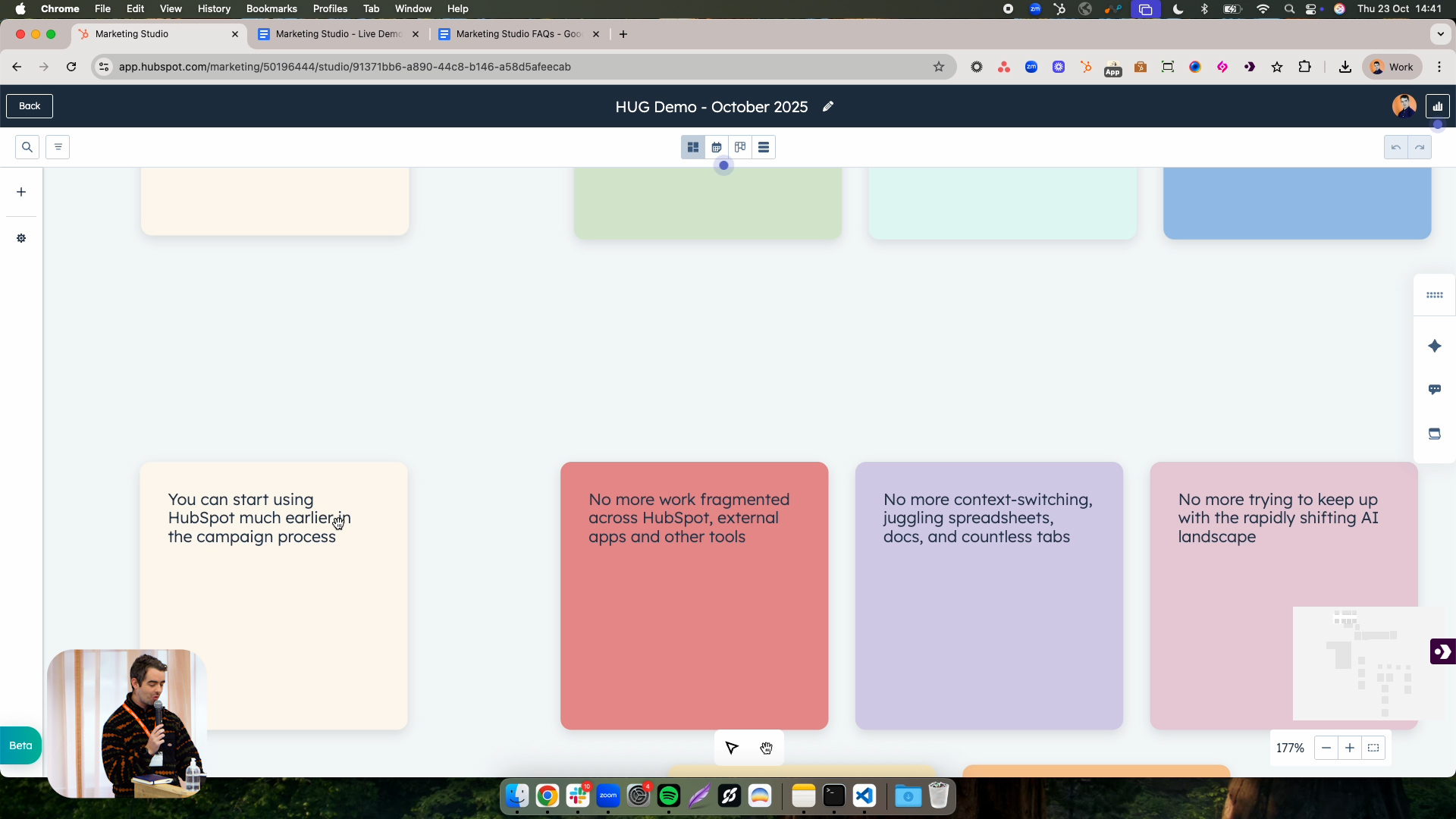
Derek begins by introducing Marketing Studio as a new public beta in Marketing Hub and explaining the thinking behind it. HubSpot heard repeatedly from customers that a campaign does not begin the moment you open HubSpot to attach assets to a campaign object. A lot of strategy and planning happens beforehand: defining goals, mapping journeys and deciding which paths customers should take. Historically, much of that work took place in separate tools, documents or whiteboards, only to be recreated later inside HubSpot.

Marketing Studio is designed to change that by giving marketers a place to come into HubSpot much earlier in the process. It is positioned as a new “centre of gravity” where you can plan, create and launch campaigns in one tool. Instead of juggling spreadsheets, planning software and disconnected AI tools, marketers get a single workspace with real-time collaboration, creativity tools and AI-powered speed, all directly connected to their HubSpot assets and reporting.

Planning Campaigns Visually on an Infinite Canvas

At the heart of Marketing Studio is a visual, infinite canvas. Derek opens an existing campaign to show how it can be used to capture a campaign brief, define goals and attach

relevant context. Within the brief, marketers can specify the campaign objective, target audience and key details, and attach supporting assets such as images, documents, kickoff meeting transcripts or Google Docs. This context feeds into both the planning process and the AI features that generate starting points for assets.

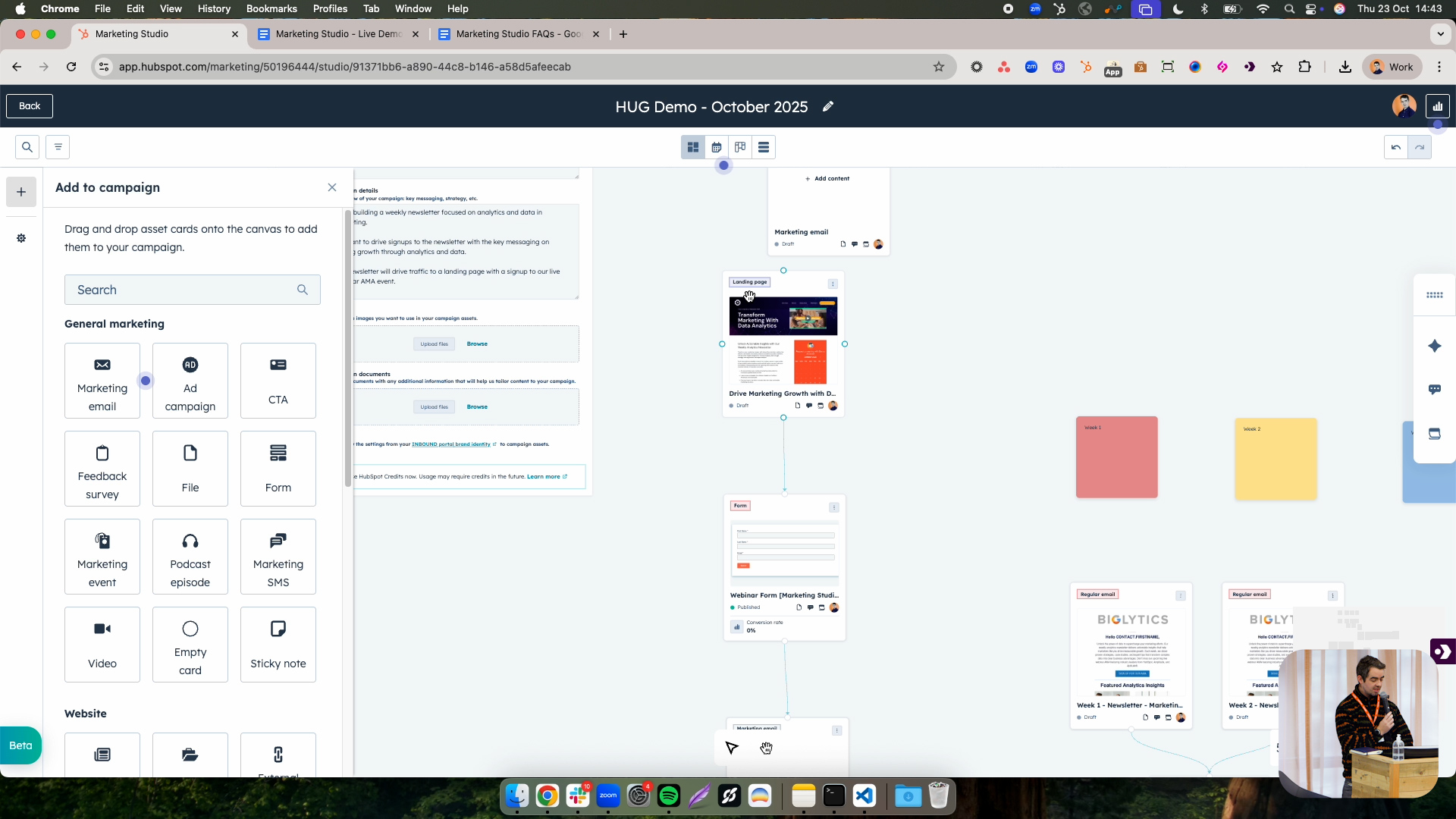
On the canvas, marketers can drop in “cards” representing different asset types – emails, landing pages, forms, ads, CTAs, blog posts, case studies and more – as well as sticky notes and connectors. Derek uses an event example to show how a campaign journey can be mapped: emails pointing to a landing page, a form on that page, and the event itself as the final step. Initially, these are just placeholders, which lets teams sketch out the end-to-end flow before any assets exist. Sticky notes can be used to outline week-by-week plans, such as a four-week promotional ramp-up, so that the canvas becomes a flexible space to think and plan in whatever way makes sense for each marketer or team.


Planning Campaigns Visually on an Infinite Canvas
Creating Campaign Assets with AI-Powered Workflows

Creating Campaign Assets with AI-Powered Workflows

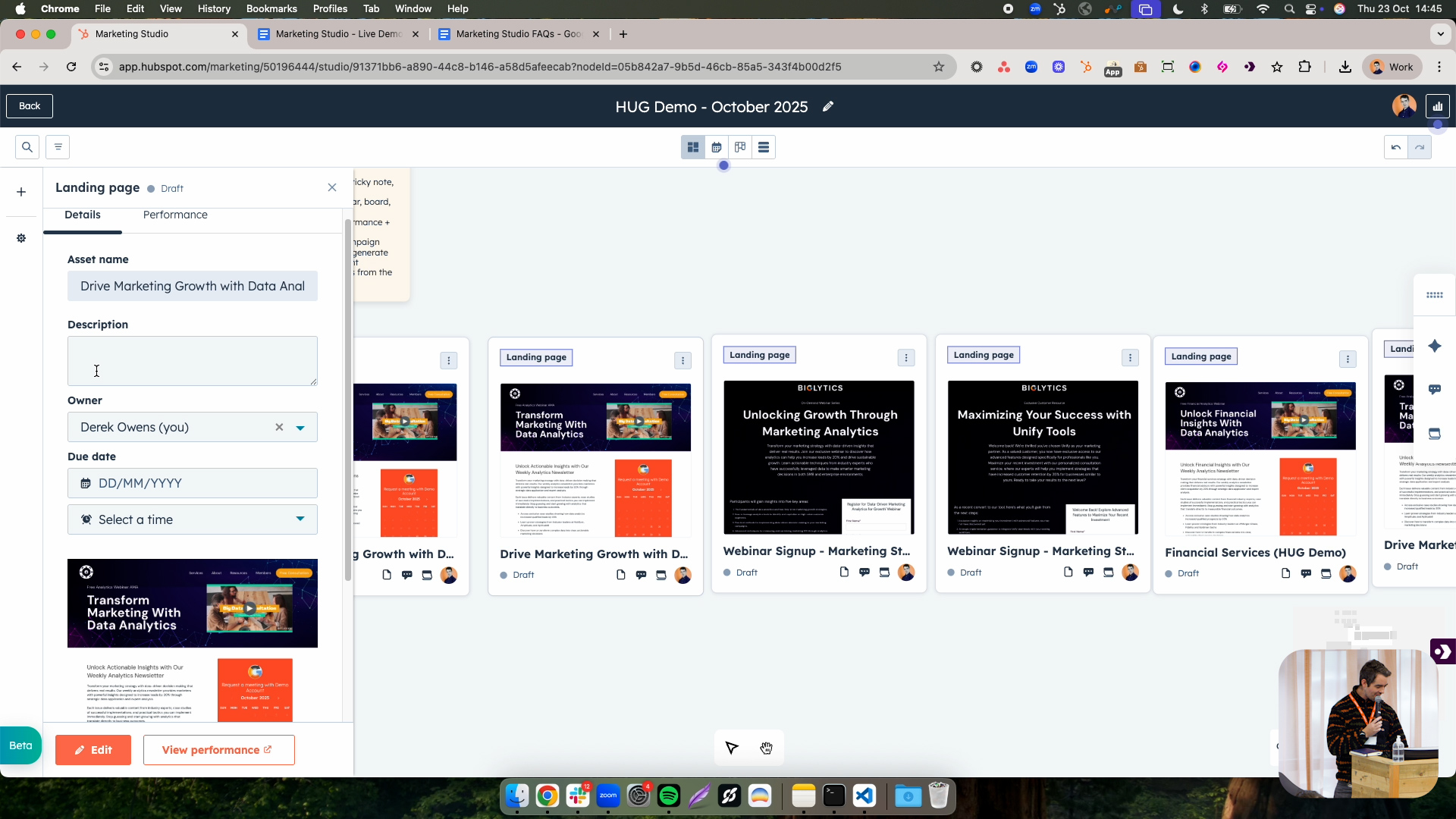
Once a plan is in place, Marketing Studio allows marketers to turn placeholder cards into real assets without leaving the tool. Derek shows how existing assets from the portal can be pulled into the campaign so they appear on the canvas and remain linked for reporting. For new work, marketers can create assets directly from cards in Marketing Studio, including marketing emails (standard or automated), using their usual templates. The experience is similar to creating emails elsewhere in HubSpot, but now anchored in the campaign context.

AI is embedded into these creation workflows. From within Marketing Studio, users can generate content with AI by giving some context and selecting a template, and can also generate images inline. Derek demonstrates this by asking the system to create an email reminding people about an upcoming event using an existing INBOUND template. The AI builds an initial draft, which he saves as a fully fledged email asset in the portal. From there, marketers can refine copy and design as needed, but the heavy lifting of starting from scratch is removed. At the campaign level, AI can also analyse a filled-out brief and proposed brand settings to suggest a set of assets to drop onto the canvas, giving teams a structured starting point rather than a blank page.

Collaboration, Multiple Views and Performance in One Place

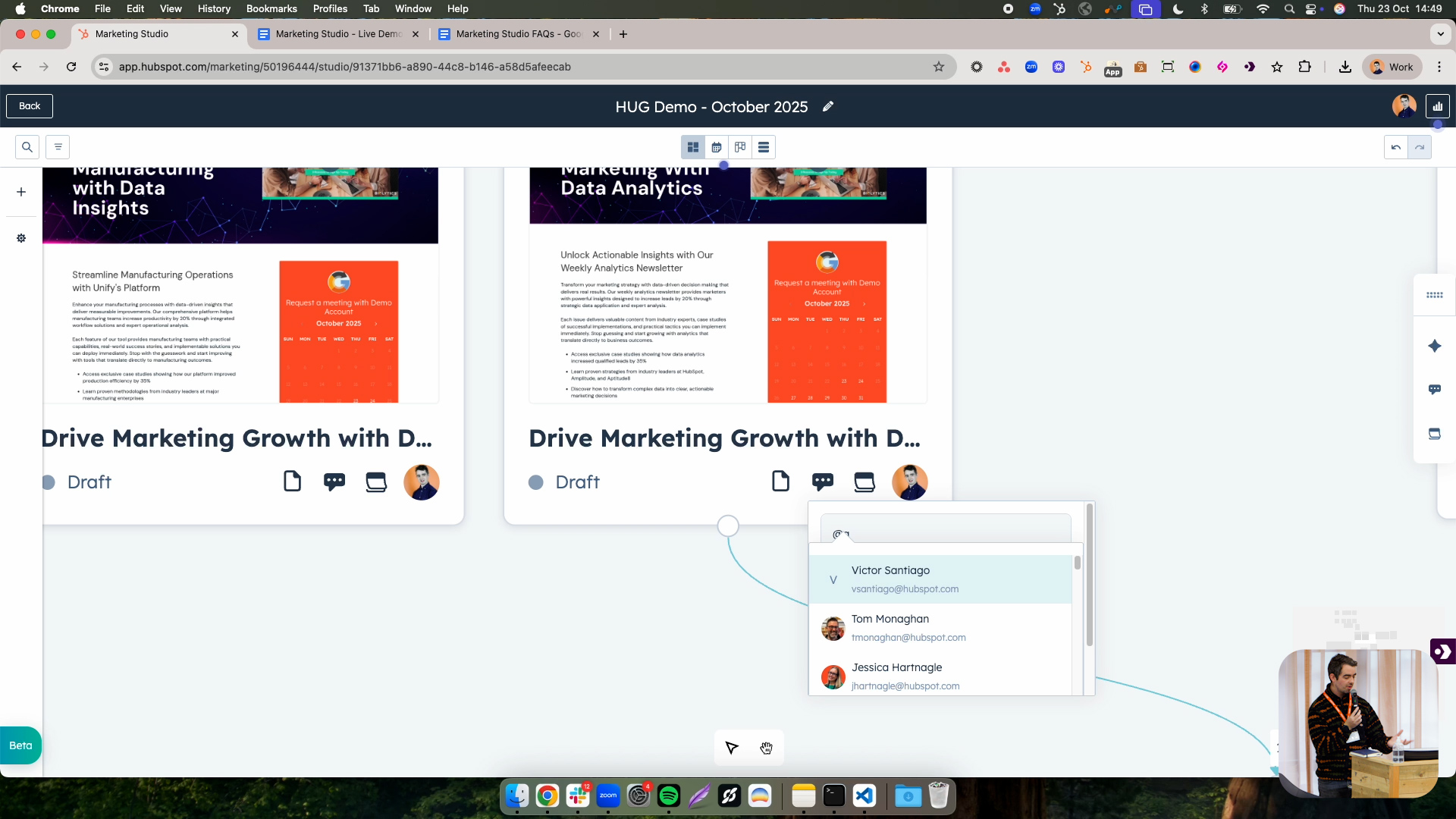
Beyond planning and creation, Marketing Studio is built for collaboration and execution. On individual cards, team members can leave comments, @mention colleagues to request reviews or input, and assign ownership of specific assets. Tasks can be added for everything that needs to happen before an email or page goes live – from copy review and image sourcing to approvals – and notes can be dropped anywhere on the canvas to capture context or decisions. This turns the canvas into a shared workspace where the whole team can see what is happening and who is responsible for what.

To support different stages of work, Marketing Studio offers multiple views over the same campaign. The canvas view is ideal for early-stage planning and journey mapping. A board view presents assets in a Kanban-style layout by status, giving managers and teams a quick view of what is in draft, in progress or complete, and helping them reassign work if one person is overloaded. A table view lists all associated assets with familiar columns, similar to the previous campaigns experience. A calendar view lets marketers drag emails and other assets onto specific dates to set due dates and schedule sends, providing a timeline-based way

to ensure content is produced and published on time. Performance metrics, including revenue attribution, influenced contacts, website traffic and asset-level conversion rates, are also available from within Marketing Studio, with key figures surfaced directly on cards once assets are live.

Collaboration Multiple Views and Performance in One Place

Q&A Highlights: Integrations, External Pages and Dependencies

Can we import existing social media or campaign boards from external project management tools into Marketing Studio?

Not today. There is currently no straightforward, native way to import boards or campaign plans from external tools directly into Marketing Studio. Derek explains that the team is actively thinking about integrations and would like to understand whether customers need one-off imports, live integrations or both, and invites follow-up conversations to inform future development.

Is it possible to include and track external website pages in a Marketing Studio campaign?

Yes. Marketing Studio includes an “External website” card type. You can add any external URL as a card on the canvas, and as long as the HubSpot tracking code is installed on that page, its performance and results can be tracked within Marketing Studio alongside your other campaign assets

Does Marketing Studio support dependencies between assets or tasks (for example, making one item dependent on another being completed)?

Not at the moment. There is no formal dependency management feature in Marketing Studio today. Derek suggests that teams can represent dependencies visually using notes or conventions on the canvas as a workaround, and notes that richer dependency handling is something the product team is exploring for future iterations

How can we get access to Marketing Studio and who is it available for?

Marketing Studio is available as a public beta for Marketing Hub Professional and Enterprise customers. It does not appear automatically in portals; to enable it, users should go to the Product Updates section in HubSpot, search for “Marketing Studio” and opt into the beta from there.

Sales Workspace

Explore the latest Sales Workspace tools and how they help boost productivity and improve pipeline visibility. Katie Magorrian from HubSpot’s Customer Success team walks through real scenarios and shares best practices to help your sales team get the most out of the workspace.


✦   Dublin HubSpot User Group

Prospecting Agent & Target Account

Explore the latest AI-powered sales tools in HubSpot, including the Prospecting Agent and new Target Accounts features. Fiachrá Duffy demos what’s possible and dives into a live Q&A on how sales teams can get the most from these updates.


✦   Dublin HubSpot User Group

Prospecting Agent & Target Account

Explore the latest AI-powered sales tools in HubSpot, including the Prospecting Agent and new Target Accounts features. Fiachrá Duffy demos what’s possible and dives into a live Q&A on how sales teams can get the most from these updates.


✦   Dublin HubSpot User Group

Dublin HUG = Your  New Community 

Share the vibe, shape the next one

HUG Dublin - OCT 2025-070 (1)
IMG_4227
HUG Dublin - OCT 2025-091
HUG Dublin - OCT 2025-069
IMG_4227