Setting your Customer Agent
Set up AI-powered customer support directly inside your CRM.
Graham O'Connor - Product Manager - HubSpot
4:00 PM - 5:00 PM
In this session, Graham O’Connor, Product Manager at HubSpot, gives a practical walkthrough of Breeze Customer Agent – HubSpot’s AI-powered support and go-to-market agent. He explains how Customer Agent can handle conversations with customers without a human in the loop, being available 24/7 to resolve issues, qualify leads and answer prospect questions across multiple channels.
Graham shows how to set up a new Customer Agent from scratch, configure its personality, train it with your content, define human handoffs and deploy it to channels like live chat, email, WhatsApp and Facebook Messenger. He also takes attendees on a tour of a live agent to illustrate how it learns over time through knowledge gaps, reporting, actions and CRM data, before closing with an open Q&A.
Session Summary
The summary below breaks Graham O’Connor’s Breeze Customer Agent session into five key sections that follow his live demo from setup to optimisation. It explains how Customer Agent is configured, how it works across channels and how it can become more powerful over time through better training content, actions and CRM data. A dedicated Q&A section at the end reformulates the audience’s questions into clear prompts, with Graham’s answers summarised beneath each one. These cover branding and tone, multi-language behaviour, credit usage and workflow-based routing

Introducing Breeze Customer Agent and Its Role in the Go-to-Market Team
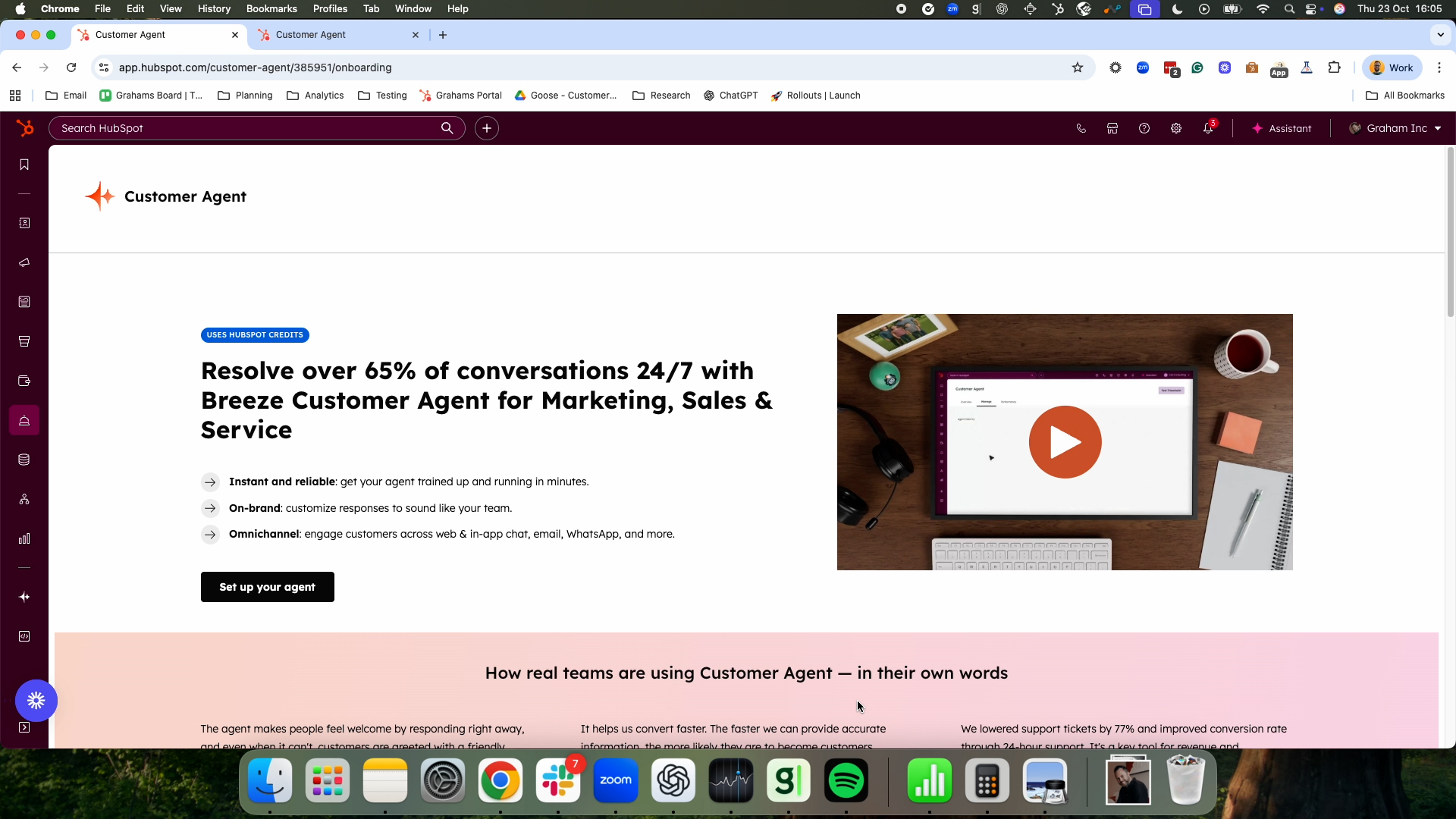
Graham begins by introducing himself and his focus at HubSpot: Breeze Customer Agent. He sets out the plan for the session – a short setup demo, a tour of what the agent can do and an activation exercise where attendees aim to get their own Customer Agent live on their website. When he asks who has used the tool before, few hands go up, confirming he is speaking to an audience largely new to the product.
He explains that Customer Agent is one of HubSpot’s newer AI agents, launched roughly a year ago, and is designed to have conversations with customers without human intervention. Unlike a traditional, narrowly scoped support bot, this agent is intended for the whole go-to-market team: it can resolve support issues, talk to prospects and, in a beta capability, qualify leads. He highlights that HubSpot has invested heavily in improving resolution rates over the past year and that Customer Agent now achieves around a 65% average resolution rate across conversations – making it one of the stronger agents in this category.
Setting Up Your Customer Agent: Personality and Training Content
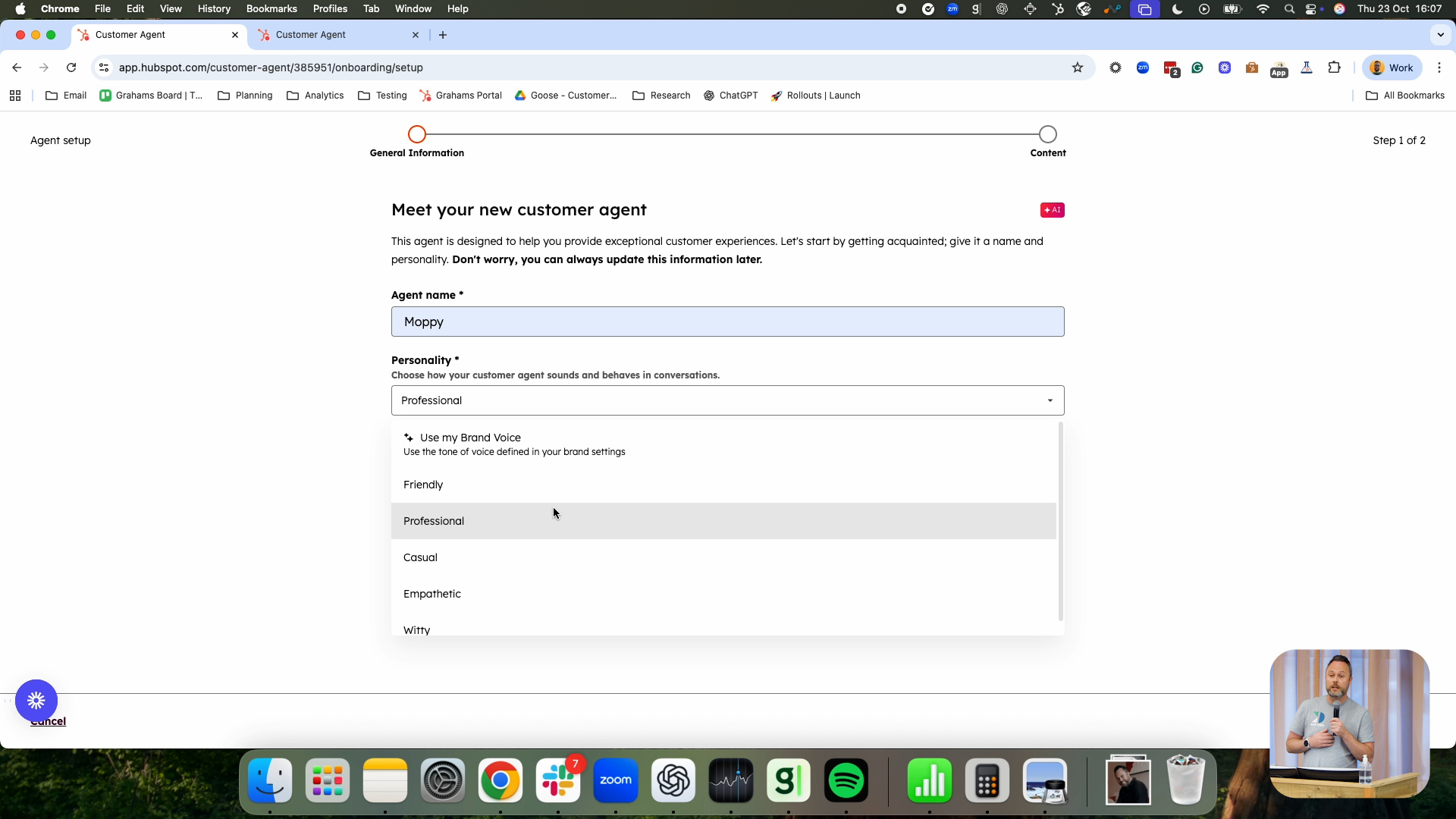
Graham then walks through the setup flow. From the navigation, users go to Service, then Customer Agent, and select “Set up your agent”. The first step is to give the agent a name and choose its personality. HubSpot offers several out-of-the-box personalities, as well as the option to use your HubSpot brand voice. Brand voice, configured in brand settings, lets you specify traits and attributes that reflect your company’s tone so that AI-generated content stays on-brand across the product.
The next step is to provide training content, which Graham describes as effectively the agent’s “brain”. He stresses that you only get out what you put in: good, comprehensive training content is critical to quality responses. Customer Agent can be trained on HubSpot content such as knowledge bases, website pages, landing pages and blogs; on uploaded files such as PDFs and Word documents; and on external website URLs, which HubSpot will crawl to extract content. In his demo, Graham selects a specific knowledge base to train on and creates the agent. The training runs in the background and, depending on content volume, may take a few minutes. Once finished, users receive notifications in-app and by email, and can move on to testing and deployment.


Testing Behaviour, Defining Human Handoffs and Deploying Across Channels
Before exposing the agent to real customers, Graham emphasises the importance of testing. The testing environment lets you check how the agent will respond using free-text questions or testing inputs – suggested questions generated automatically from the training content. These predicted questions help simulate likely customer queries and give teams confidence that the agent behaves as expected. Graham recommends using this area frequently, especially after adding new content, to ensure the agent’s answers remain accurate and appropriate.
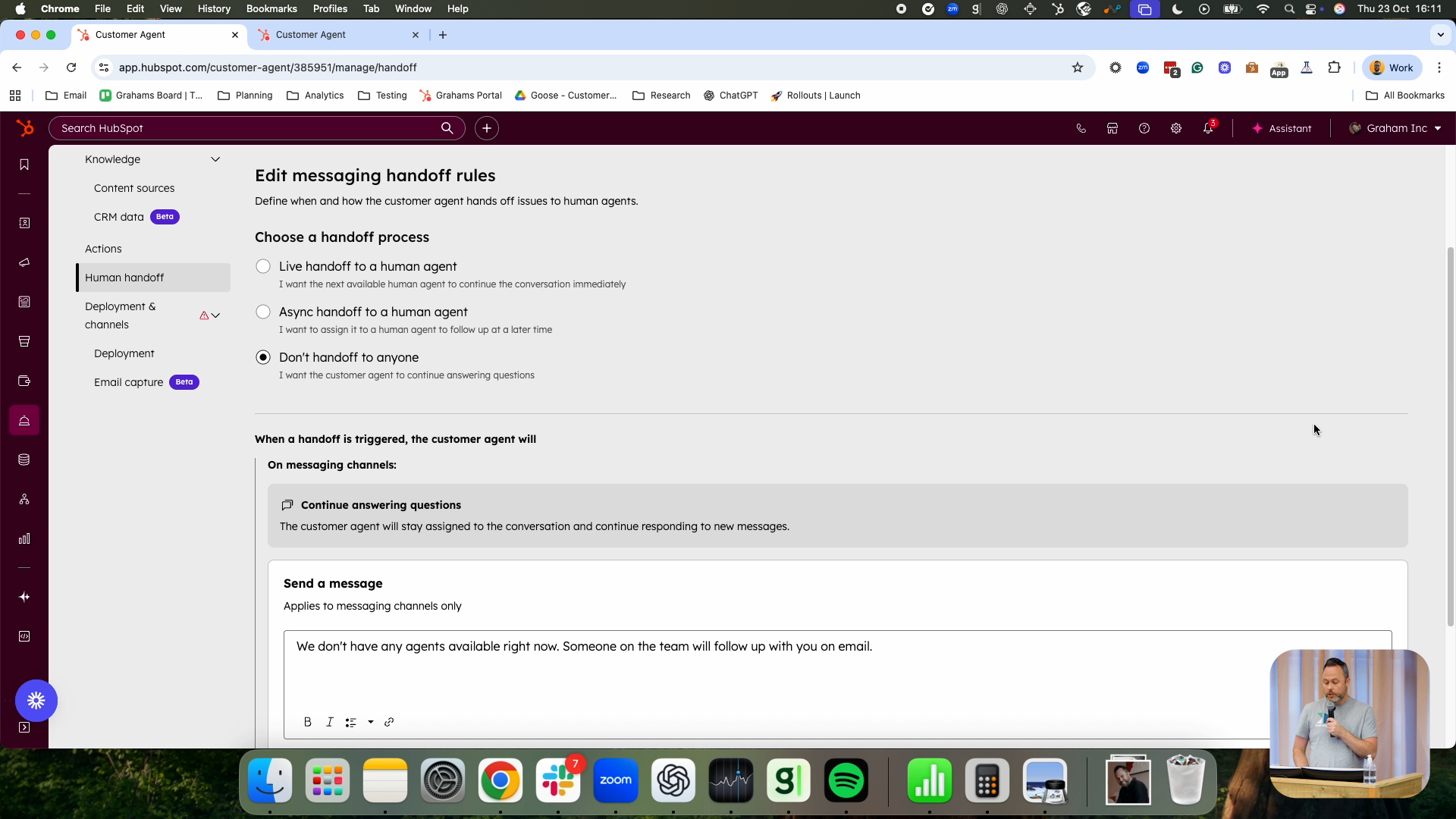
He then covers human handoffs, acknowledging that not every topic should or will be handled by AI. Many customers prefer human oversight on sensitive subjects such as billing, refunds or complex account issues. In the handoff configuration, teams can define triggers – for example, certain topics or conversation flows – that should result in escalation to a human. They can also choose how to hand off: to a live chat agent if staffing allows, via an asynchronous ticket-based handoff where the customer is informed of a later follow-up, or not at all if they only want the agent to provide answers without human intervention. A recent enhancement allows workflows to be used in handoff routing, so organisations can use branching logic on attributes such as customer type or language to route conversations to the right teams. Deployment itself is straightforward: Customer Agent can be deployed to website live chat, email, WhatsApp and Facebook Messenger by selecting the relevant workspace and channel. Once deployed, it becomes the first responder on that channel, although channels must be set up in the inbox or helpdesk beforehand.
Improving the Agent Over Time: Knowledge Gaps, Reporting and Actions
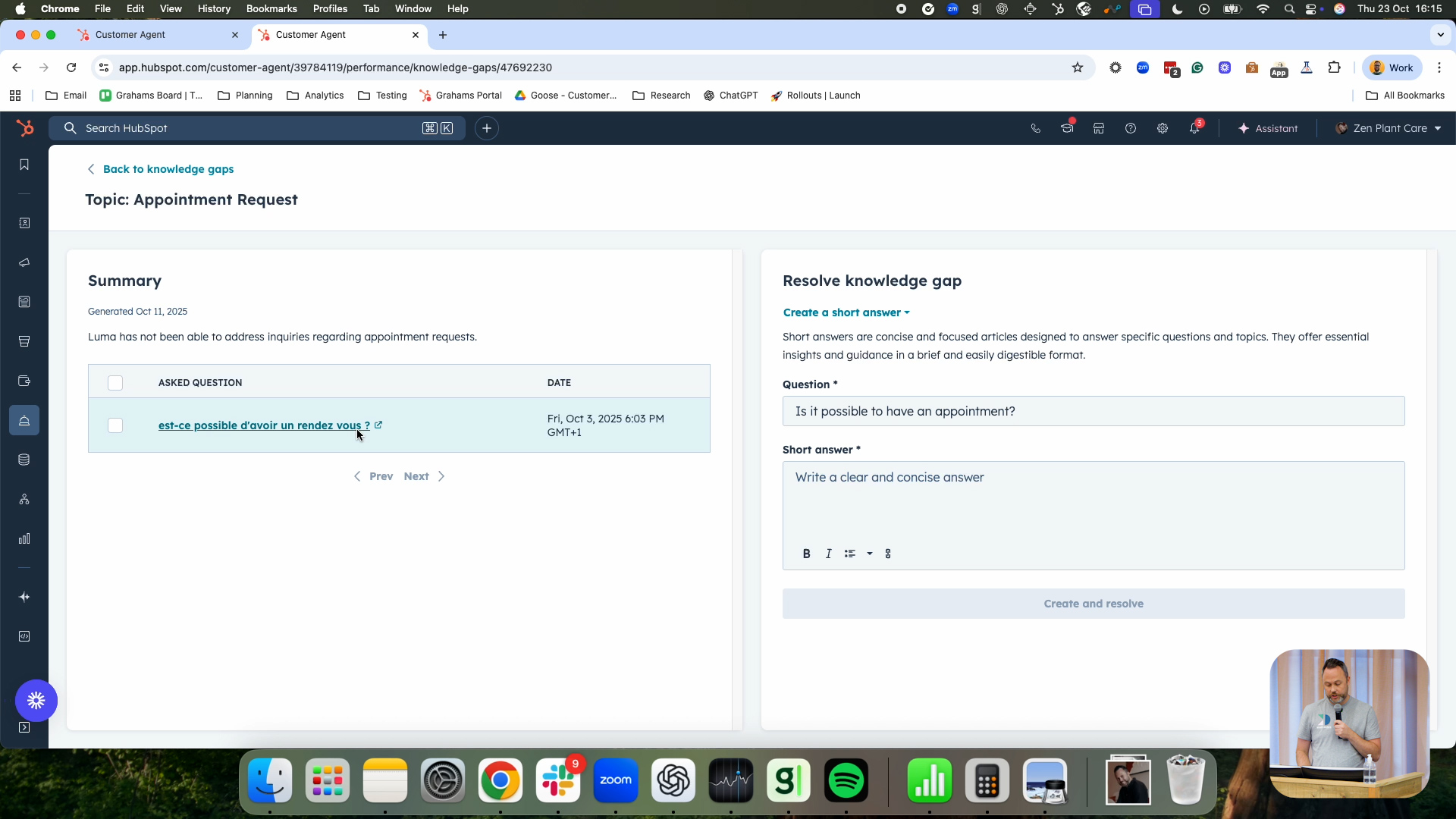
After outlining how to get started, Graham switches to a pre-configured agent to show how it performs day to day. He reiterates that the agent improves as you continuously update its training content and introduces the concept of knowledge gaps. Once an agent is live, the knowledge gaps view surfaces topics where the agent struggled to answer effectively. These are ordered by importance, based on frequency and impact, and link back to the underlying conversations. From there, admins can decide how to resolve each gap by adding content: attaching new files, URLs, knowledge base articles or creating short, targeted Q&A-style “short answers” as training snippets.
The overview also shows key performance metrics such as the number of conversations handled, resolution rate and time to resolve. For a deeper look, users can explore more detailed reporting that breaks down how often the agent is engaged, the channels it is active on and how it is performing across different types of queries. Graham then demonstrates Actions, a feature that allows the agent not just to explain solutions but to perform them. For example, instead of instructing a user how to reset a forgotten password, the agent can be wired to call an API to reset it on their behalf. Based on API responses, the agent can then take further steps, making support smoother and reducing friction for customers who might struggle with self-service instructions.


Using CRM Data for Contextual, Personalised Conversations
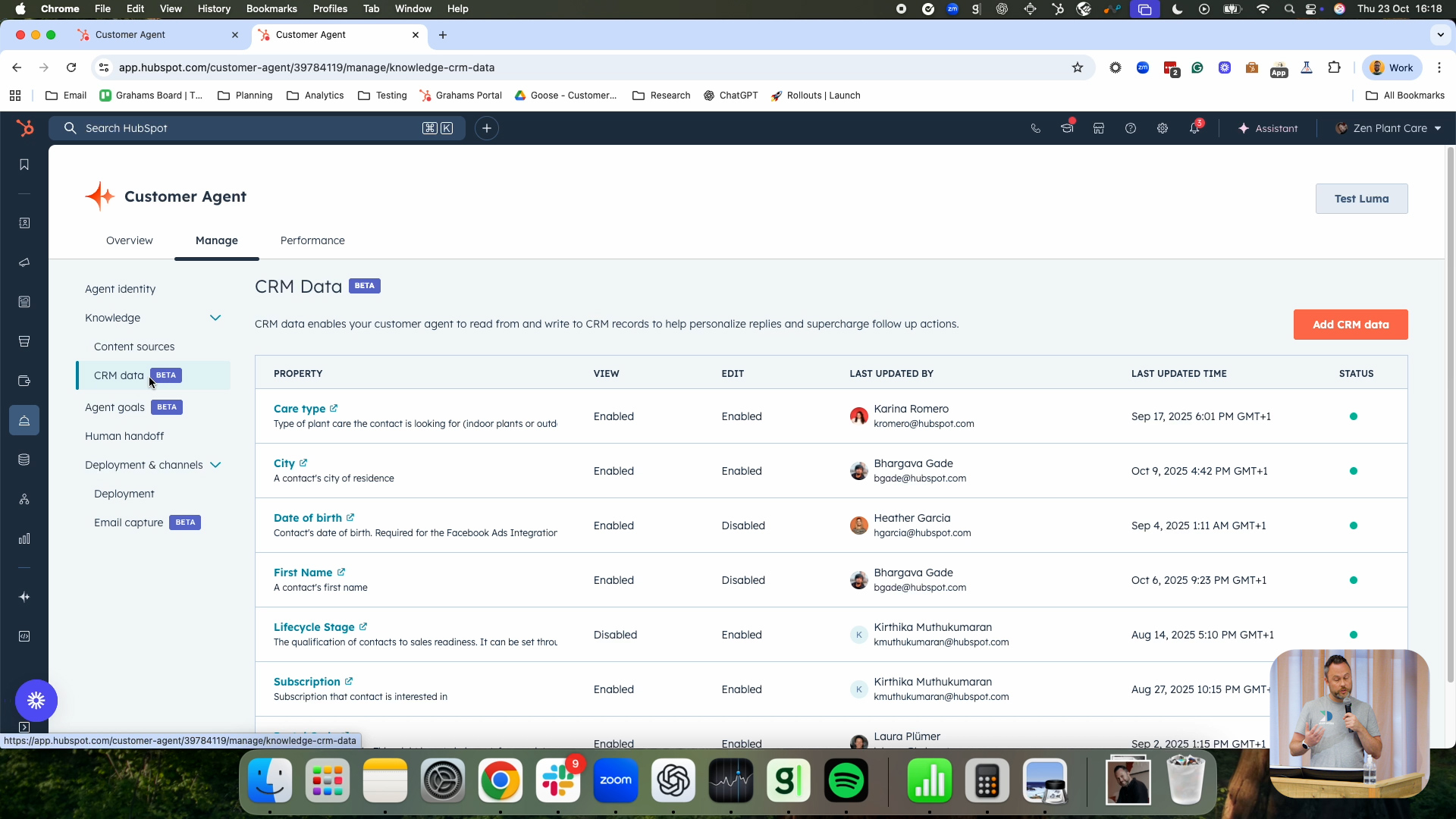
Finally, Graham introduces a new public beta feature: CRM data for Customer Agent. Just as training content feeds the agent’s general understanding, CRM data provides real-time context about the individual customer the agent is talking to. Within the configuration, admins can choose which CRM properties the agent is allowed to view, enabling more personalised, contextual conversations – for instance, tailoring responses based on customer type, subscription status or previous activity.
In addition to reading properties, the agent can also be granted permission to edit certain fields. This means that as it converses with customers, it can update CRM properties directly – for example, changing a preference or capturing new information – and thereby trigger workflows or downstream processes. Graham notes that this is where HubSpot believes it can deliver particularly strong value: combining a powerful AI agent with the rich customer data already in HubSpot to enable deeply personalised experiences. He hints that more enhancements and features in this area are on the way, as the team continues to expand what Customer Agent can do with CRM context.
Q&A Highlights: Questions and Answers
How do we keep Customer Agent on-brand visually and in terms of tone on our website?
When you deploy Customer Agent to your website, it is attached to a standard HubSpot chatflow. All branding elements such as colours and styling are configured in that chatflow, so the widget itself aligns with your existing site design. For tone and verbal style, you lean on the agent’s personality settings and, ideally, your HubSpot brand voice. By configuring brand voice and using it as the agent’s personality, you ensure responses sound like your brand as well as look consistent on the page.
Can Customer Agent handle multiple languages, and do we need to provide separate content for each one?
Yes. Customer Agent automatically detects the language a customer is using and adjusts its responses accordingly. You do not need to hard-wire it to specific languages. When you upload sources such as website content that exists in multiple languages (for example English and French), you only need to add them once. The agent will handle language detection and generate responses in the appropriate language without requiring separate configuration per language.
How are credits or usage counted for Customer Agent conversations?
Credits are applied per conversation, not per individual reply. A credit is consumed when Customer Agent first responds in a conversation. Within that conversation, responses are unlimited – the agent can continue to interact without incurring additional credits. If the customer, the human rep or the agent closes the conversation and a new conversation is started later, that new thread will consume another credit when the agent responds. Learn more about credits here.
When using workflows for handoffs, what can we base our routing rules on?
Workflow-based handoffs can use any properties accessible to the workflow. For example, in a ticket-based workflow, you can branch based on ticket properties as well as associated objects such as the contact or company. That means you can route handoffs based on contact-level attributes (like language, segment or region), ticket details, or other related fields, giving you a lot of flexibility in deciding who should handle different types of escalations.
Are there additional resources to help us design and optimise Customer Agent scenarios?
Yes. Graham notes that the team has dedicated resources specifically for Customer Agent, including scenario guides and best-practice material. They are happy to share these and walk teams through different use cases. As the session is being recorded, these materials can also complement the recording for those who want to revisit the setup and configuration steps in more detail. Watch the Customer Agent Workshop by Fiachrá Duffy

Sales Workspace
Explore the latest Sales Workspace tools and how they help boost productivity and improve pipeline visibility. Katie Magorrian from HubSpot’s Customer Success team walks through real scenarios and shares best practices to help your sales team get the most out of the workspace.
✦ Dublin HubSpot User Group
Prospecting Agent & Target Account
Explore the latest AI-powered sales tools in HubSpot, including the Prospecting Agent and new Target Accounts features. Fiachrá Duffy demos what’s possible and dives into a live Q&A on how sales teams can get the most from these updates.
✦ Dublin HubSpot User Group
Prospecting Agent & Target Account
Explore the latest AI-powered sales tools in HubSpot, including the Prospecting Agent and new Target Accounts features. Fiachrá Duffy demos what’s possible and dives into a live Q&A on how sales teams can get the most from these updates.
✦ Dublin HubSpot User Group