Fiachrá will lead an interactive, hands-on workshop where you’ll activate Customer Agent in your own portal. You’ll follow a clear, step-by-step process, from configuration to testing, to ensure you walk away fully prepared to deploy Customer Agent confidently within your organisation
This workshop recording captures a fully guided, step-by-step activation session led by Fiachrá Duffy, focused on getting Customer Agent live in your HubSpot portal. Across the session, attendees set up their own agent in real time—from defining identity and content sources to configuring targeting, handoff behaviour and beta features. The workshop was designed to take participants from “curious about AI agents” to “activated and deployed,” with every step demonstrated live.
Whether you’re revisiting what you built on the day or setting up your Customer Agent for the first time, this recording walks through the workflow exactly as it happened in the room, with practical explanations, real-world examples, and plenty of hands-on testing.
Session Summary
This section summarises the key stages of the hands-on workshop, highlighting the activation milestones, setup best practices, and the features that participants configured throughout the session. Each stage represents a meaningful step in getting Customer Agent from a blank slate to fully deployed, testable, and ready for your organisation.
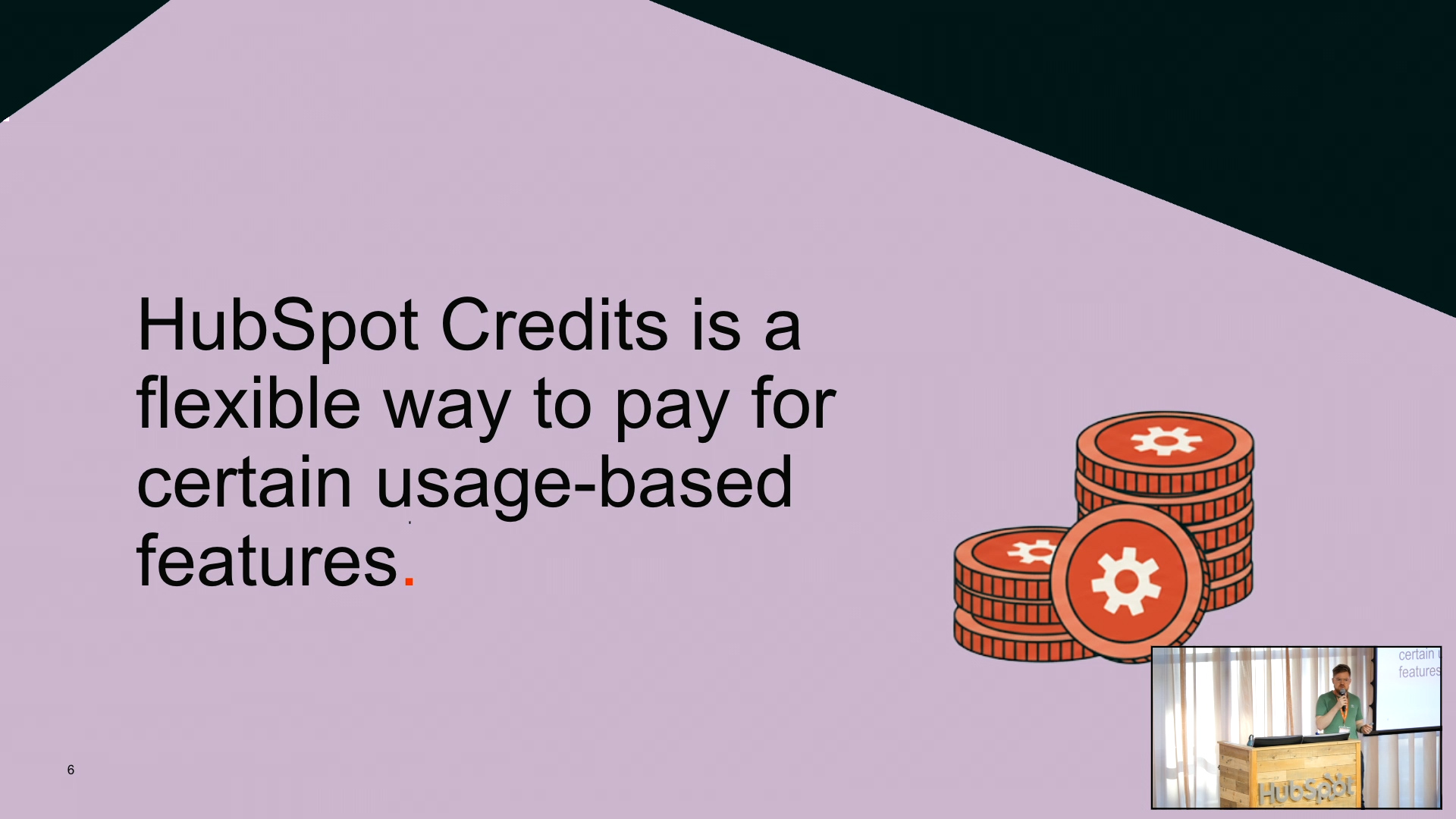
The workshop began by grounding everyone in the fundamentals—credit usage, billing controls, and the difference between an AI agent and a standard chatbot. Fiachrá highlighted the importance of credit limits and overage settings, explaining how they help teams remain deliberate and predictable with consumption. Before diving into the build, he took a moment to ensure everyone understood how credits function within HubSpot, especially for future scaling and testing.
Participants were then invited to share their comfort levels with AI agents, setting the tone for a supportive and instructive environment. Fiachrá clarified what makes an agent different from conversational AI like ChatGPT: agents have goals, take action, follow rules, and can work across voice, text and the CRM. With this foundation set, he guided the room to open HubSpot and their website—preparing both windows for hands-on activation.
Step One: Agent Identity & Voice Configuration
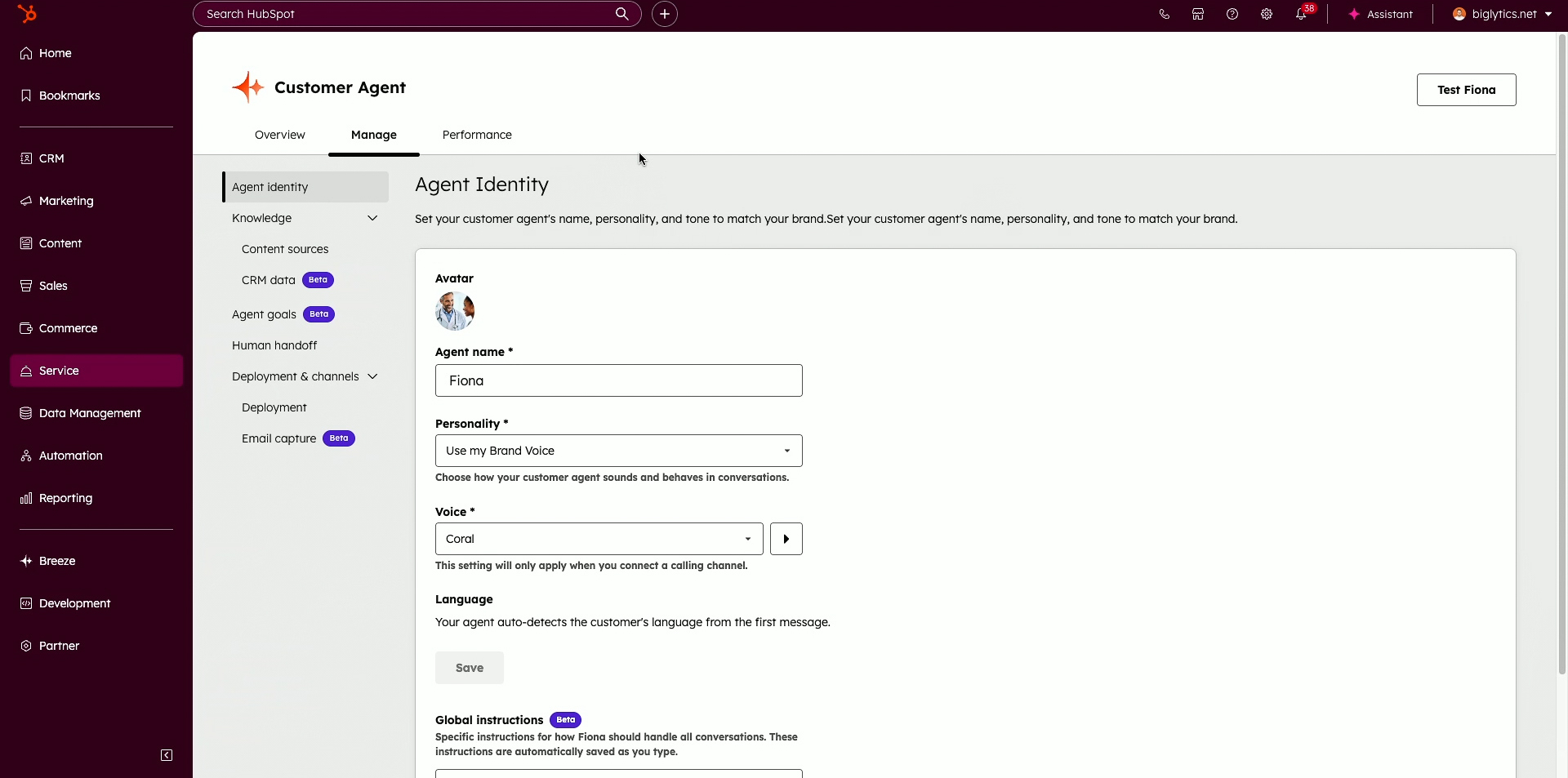
The first major activation moment focused on creating the Customer Agent inside HubSpot. Participants followed along as Fiachrá demonstrated how to name the agent, select a personality style and understand when to use friendly vs. professional vs. custom brand voice. He reassured the room that none of these settings are permanent, encouraging experimentation and flexibility as teams learn what tone best suits their customers.
He then walked through brand voice, showing how deeply teams can refine terminology, tone, avoidance rules and phrasing when necessary. While this level of control isn’t required for initial deployment, it helps organisations evolve their agent over time. The goal of this step was to ensure everyone had a functioning identity: a named, speaking agent ready for content training.
Step Two: Content Sources & Short Answers
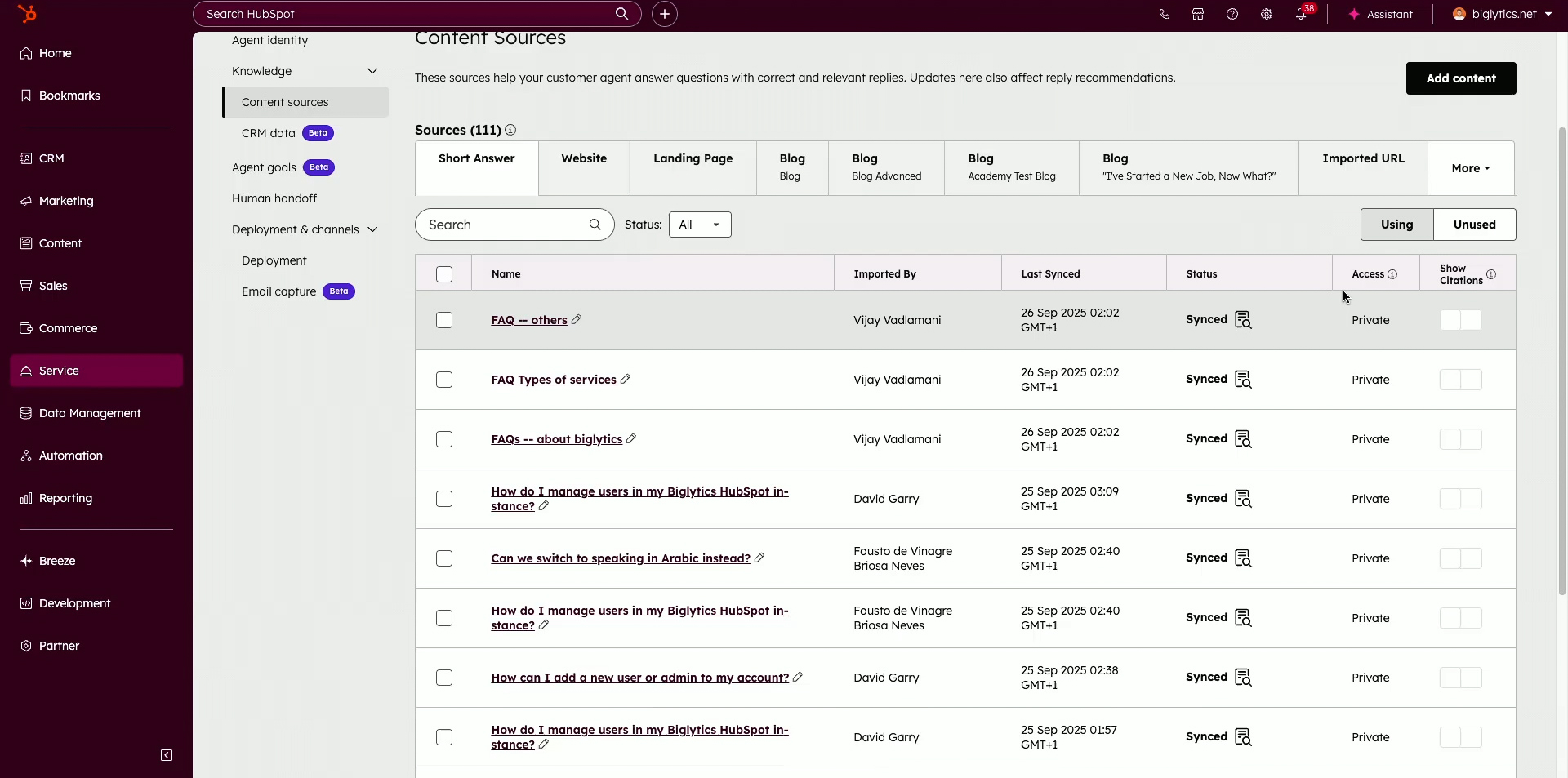
With identity complete, the workshop moved into the most critical foundation: content. Participants added website URLs, uploaded files and selected HubSpot-hosted content to teach the agent what it is allowed to speak about. Fiachrá explained the difference between crawling a single page and crawling an entire website, and offered a simple guideline—only provide content you’d feel comfortable giving to a stranger by email.
He also introduced short answers, a lightweight way to correct or refine responses without restructuring content. This feature helps teams quickly patch gaps, adjust phrasing or support known customer questions. Once everyone had sources added, the room created their agent—marking the moment where each participant had a trained, working Customer Agent for the first time.
Step Three: Trust, Citations & Human Handoff Triggers
Next, the session moved into control and trust settings. Participants enabled citations, allowing the agent to reference specific pages when answering customer questions—an important visual cue for transparency and reliability. They also learned how to remove or refresh sources and how often content automatically updates.
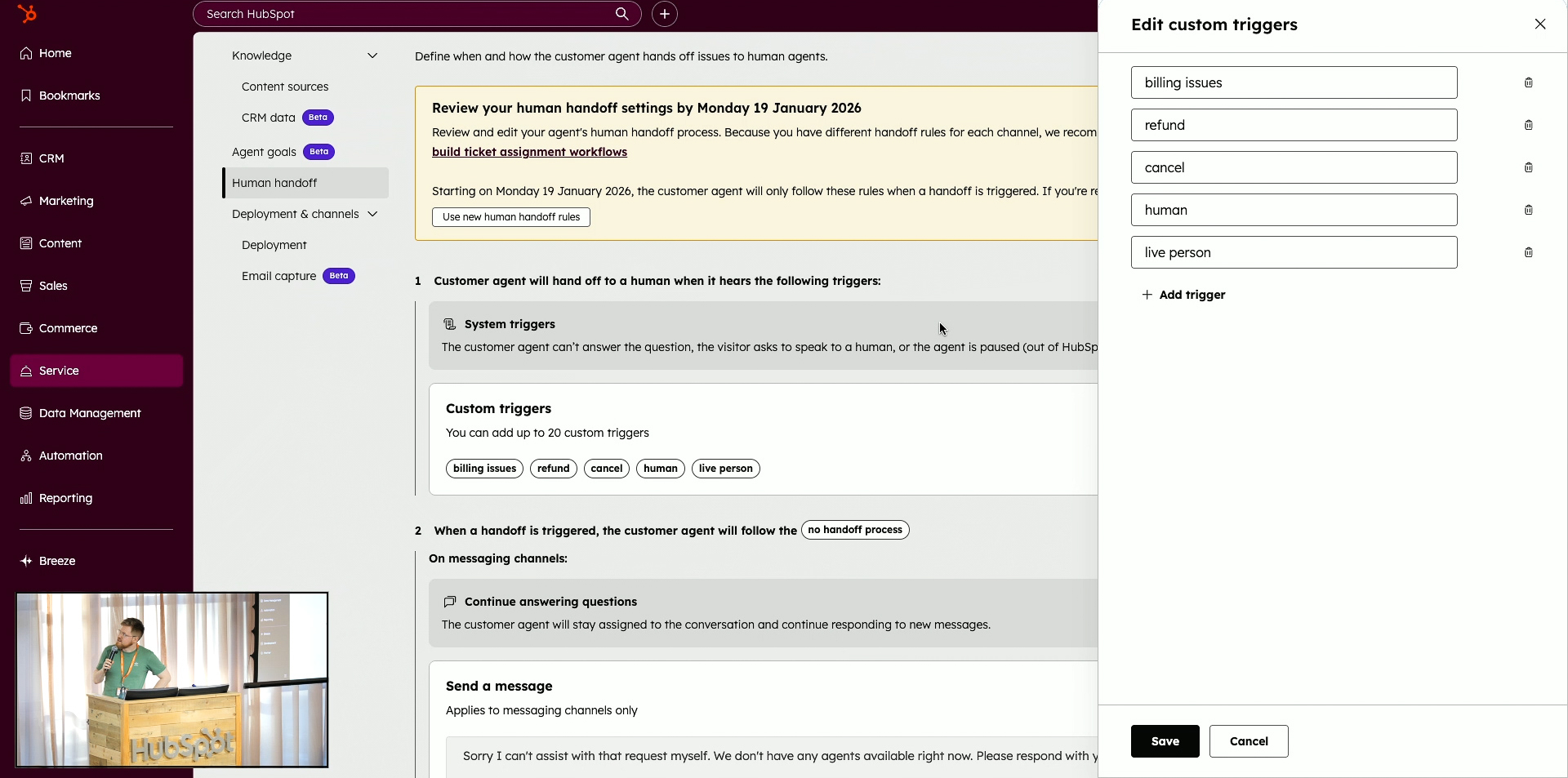
Then came custom triggers, the behavioural filters that ensure sensitive or high-risk topics move directly to a human. The room added keyword triggers such as refund, billing, cancellation, speak to a human and more. Fiachrá walked participants through all three handoff options and explained why most teams should begin with the “collect email + create ticket” flow. This step ensured every agent had a safe, dependable fallback when it reached its limits.
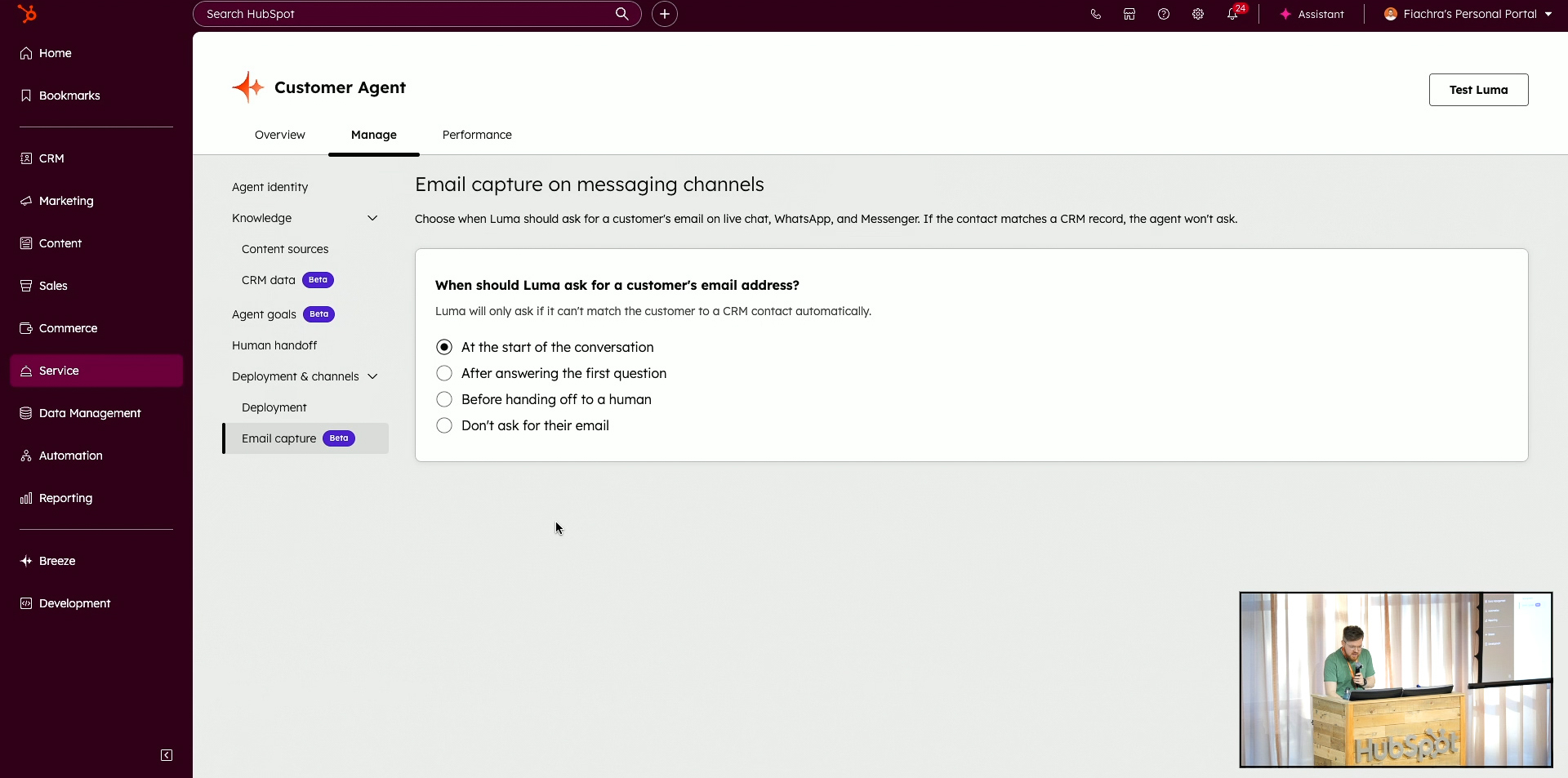
Before moving to deployment, participants enabled optional features like email capture—an effective way to identify customers even if they leave the site quickly. Fiachrá then demonstrated the Knowledge Gaps panel, encouraging teams to revisit this area often after launch. Knowledge Gaps reveal the questions the agent couldn’t answer, allowing teams to add instructions, update content or create short answers to improve performance.
He also previewed the upcoming Knowledge Base Agent, a tool that will soon generate knowledge articles automatically by analysing conversations. This step illustrated how Customer Agent continuously improves through iteration, testing and targeted updates—reassuring teams that activation does not require perfection on day one.
Step Five: Deployment (Activation Moment)
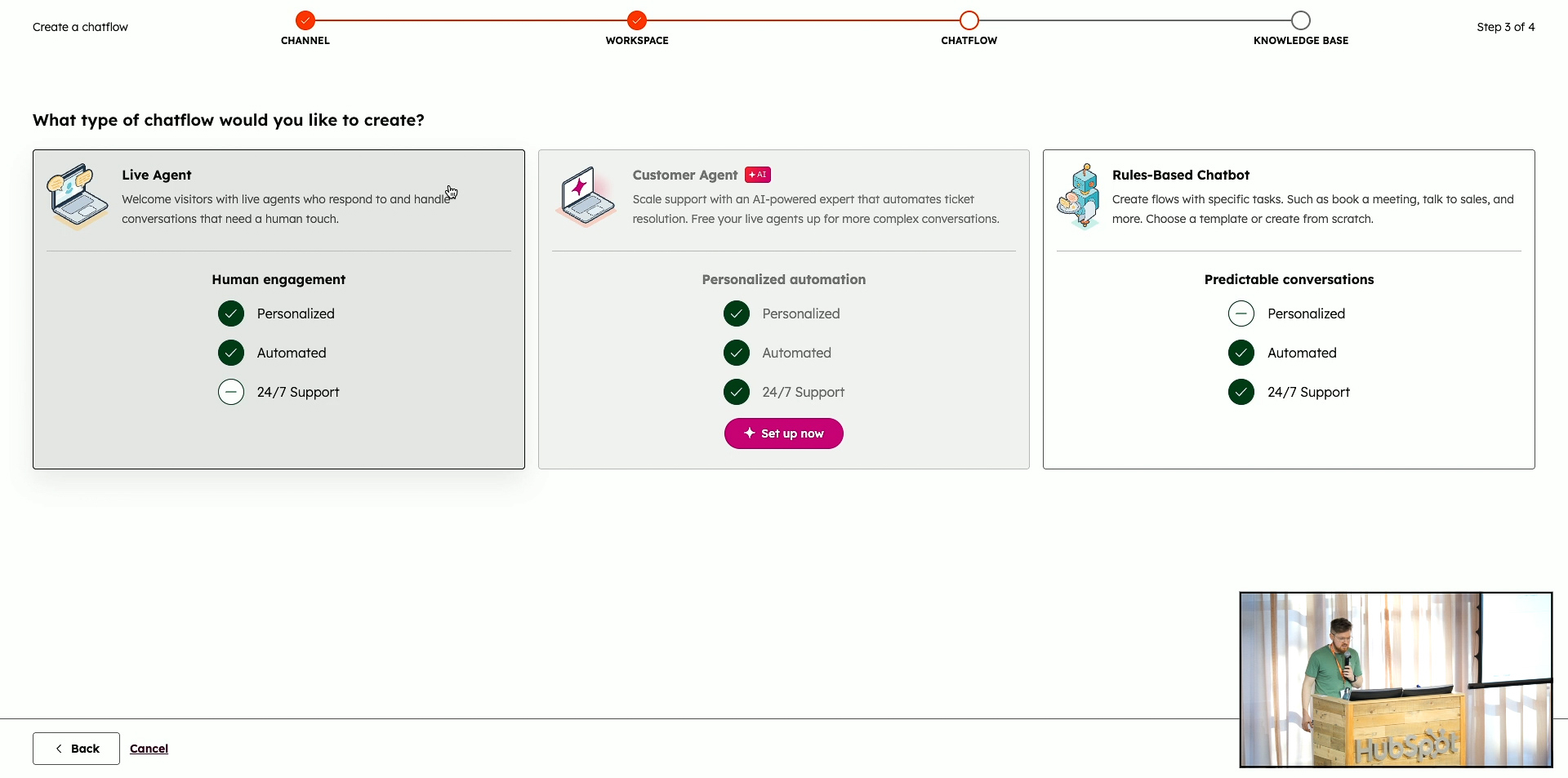
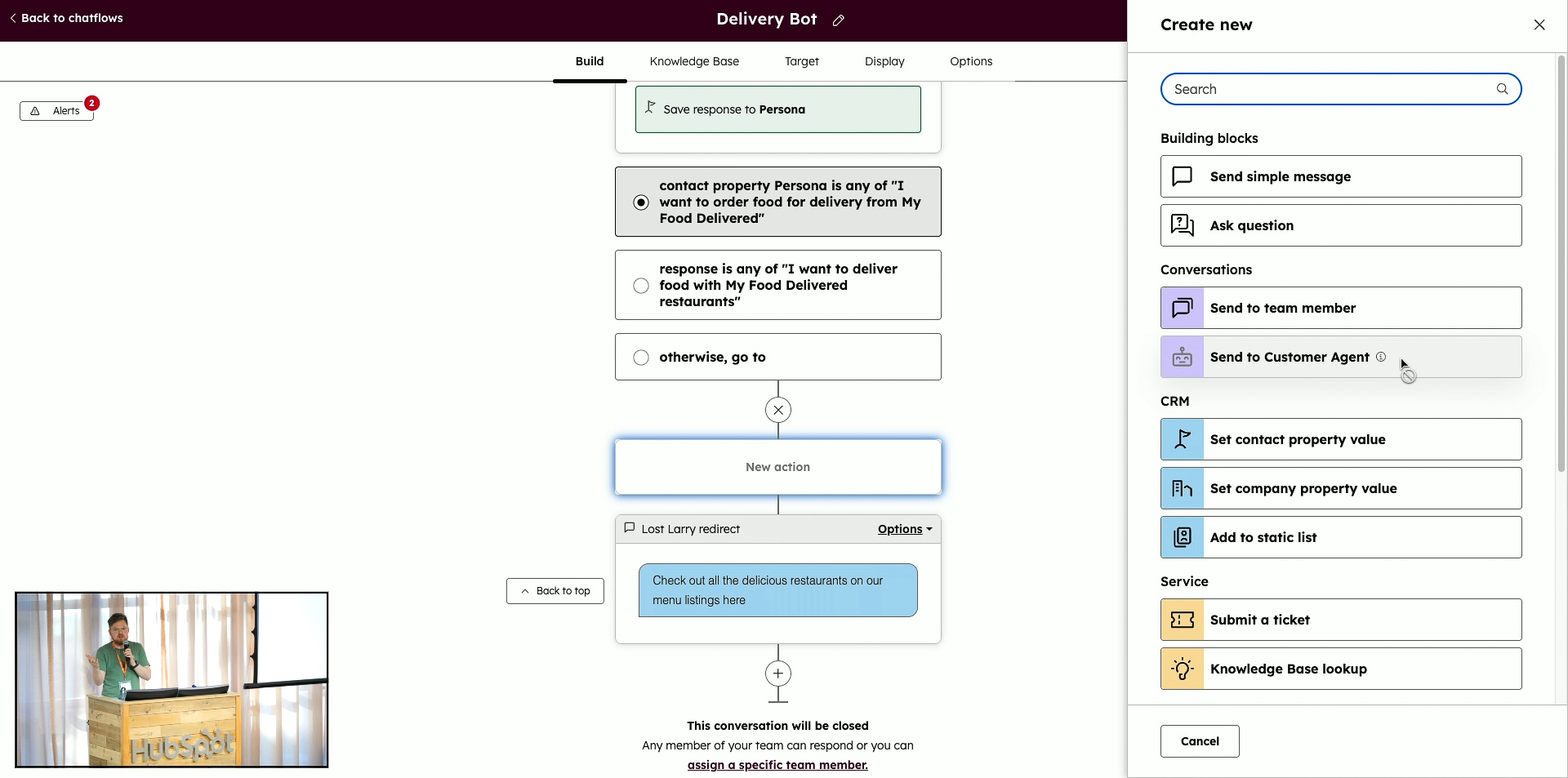
The workshop then shifted into deployment—the moment where each agent becomes visible to end users. Participants created a new chatflow, set the assignment to Customer Agent (or Live Agent if testing without credits), and learned how to customise messages, colours and behaviour later on. Fiachrá explained that chatflows act as the “container” where the agent lives, making them the simplest place to test functionality.
For testing safely, he instructed the room to target the chatflow to a low-traffic URL such as the privacy policy page. This allowed participants to activate their agent without exposing it broadly across the site. With chatflow targeting in place, everyone switched on the bot—reaching the core activation milestone of the entire workshop.
Step Six: Testing Live on the Website
Once the chatflow was active, participants visited their privacy page and began chatting with their newly deployed agent. They asked about their business, tested handoff triggers such as refund or speak to a human, and explored how the agent responded based on the content they had provided. Fiachrá encouraged participants to push boundaries and identify improvement opportunities.
Because this testing uses credits, he explained how to turn the chatflow off again after the session and reactivate it only when needed—helping teams manage usage responsibly. For many attendees, this was their first time interacting with a live AI agent trained on their own content.
Exploring Betas: Lead Qualification, CRM Data & Custom Channels
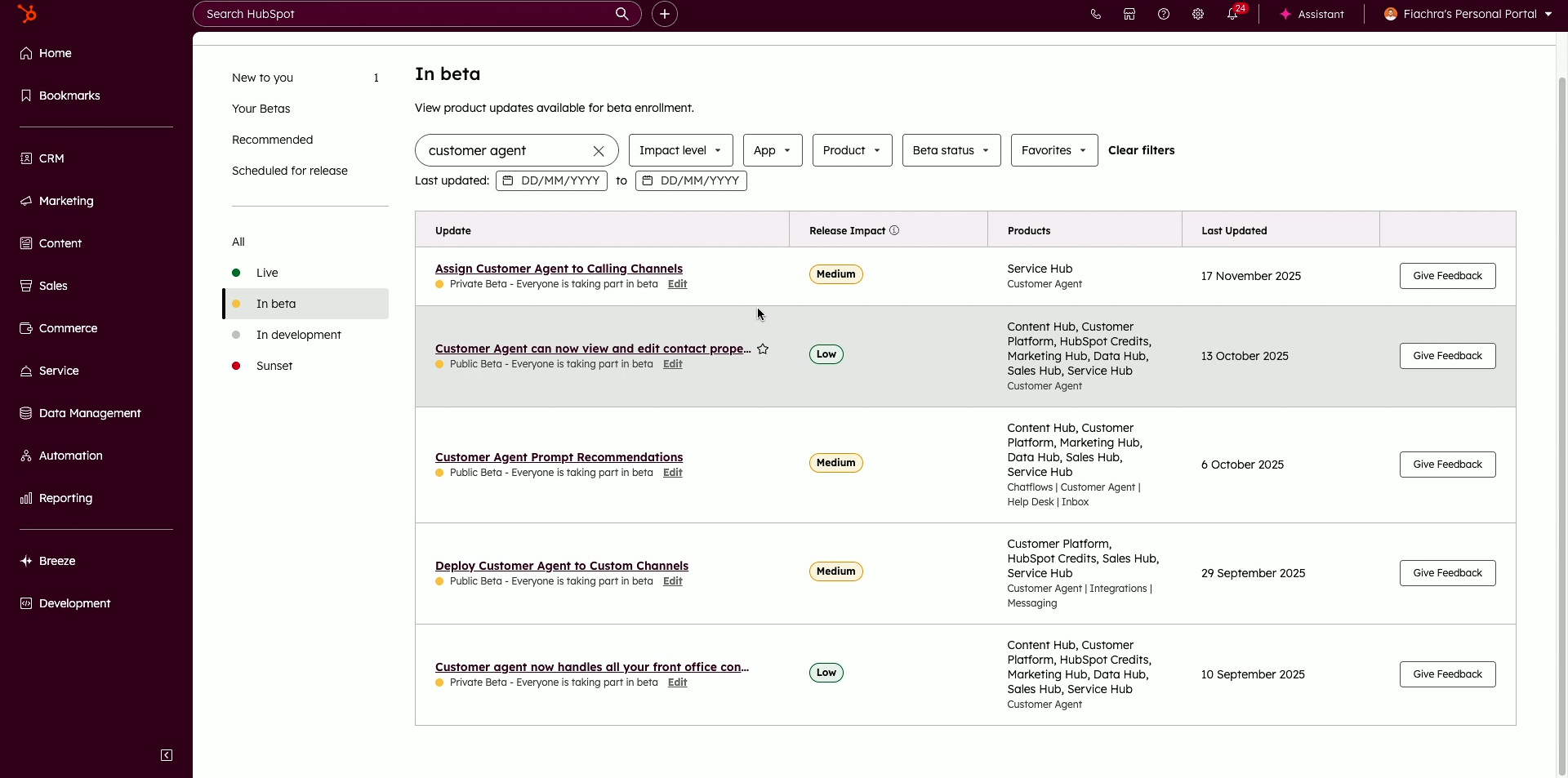
With the core agent activated, the workshop shifted to advanced features available through beta enrolment. Participants were shown how to join betas through Product Updates, unlocking capabilities like lead qualification flows, CRM property access, and custom channel support. These features represent the next level of customer experience automation.
Fiachrá demonstrated how agents can qualify leads in real time based on role, revenue, purchase readiness and more—and then automatically book meetings or segment contacts accordingly. He also showed how CRM data can be selectively exposed to the agent, allowing it to provide more personalised answers without compromising security.
Participants then learned where to find customer agent conversations inside the HubSpot inbox and how to assign chats to teams when human takeover is needed. Fiachrá explained the strategic role of Help Desk for service teams and why many organisations should migrate from the traditional inbox.
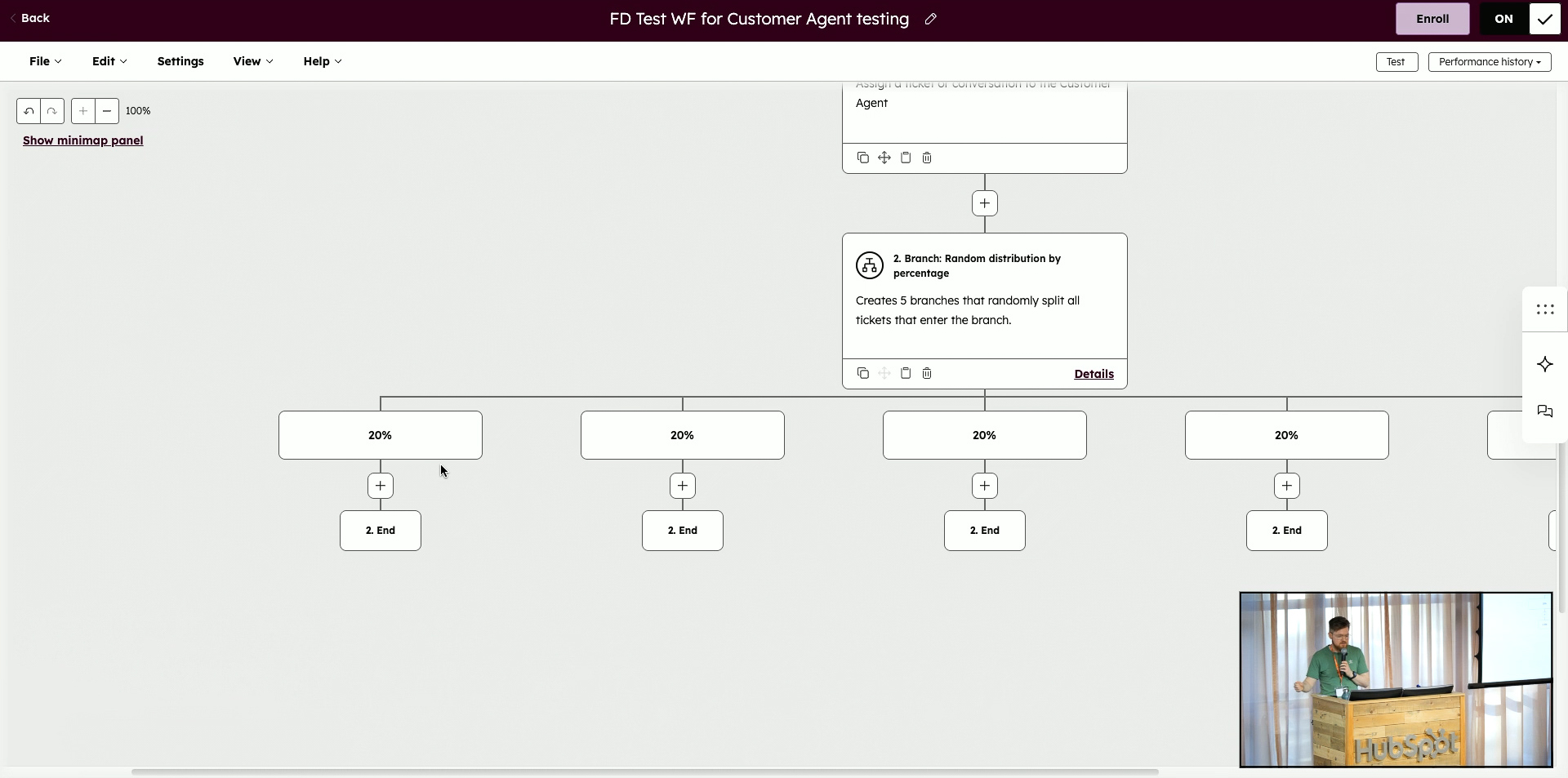
Finally, he introduced a new workflow action that allows teams to test Customer Agent on email channels safely. With criteria-based or percentage-based routing, participants saw how to gradually roll out AI handling of email tickets—beginning with controlled batches before expanding more broadly.
Closing: Voice Agent Demo & Final Q&A
To conclude, Fiachrá revealed one of the most futuristic features: voice-enabled Customer Agents. He shared a demo phone number connected to his own test agent, encouraging participants to call it after the workshop to experience real-time AI voice assistance. This moment offered a glimpse into the next evolution of customer interaction.
The workshop ended with open Q&A and final activation checks. Several participants successfully deployed their agents live during the session—a major milestone. Fiachrá reminded everyone that they can turn the chatflow off and on at any time, continue refining content, and return to the recording to follow each step again at their own pace.
Q&A
If some information is missing from a short answer, will the AI pick that up itself and suggest it as a knowledge gap?
No, it won’t automatically realise that your short answer is incomplete. The knowledge gaps section in the performance tab is only populated when the customer agent cannot answer a user’s question at all. In other words, a “gap” is logged when the agent doesn’t have enough information to give an answer, not when it gives a weak or half-decent answer from limited content.
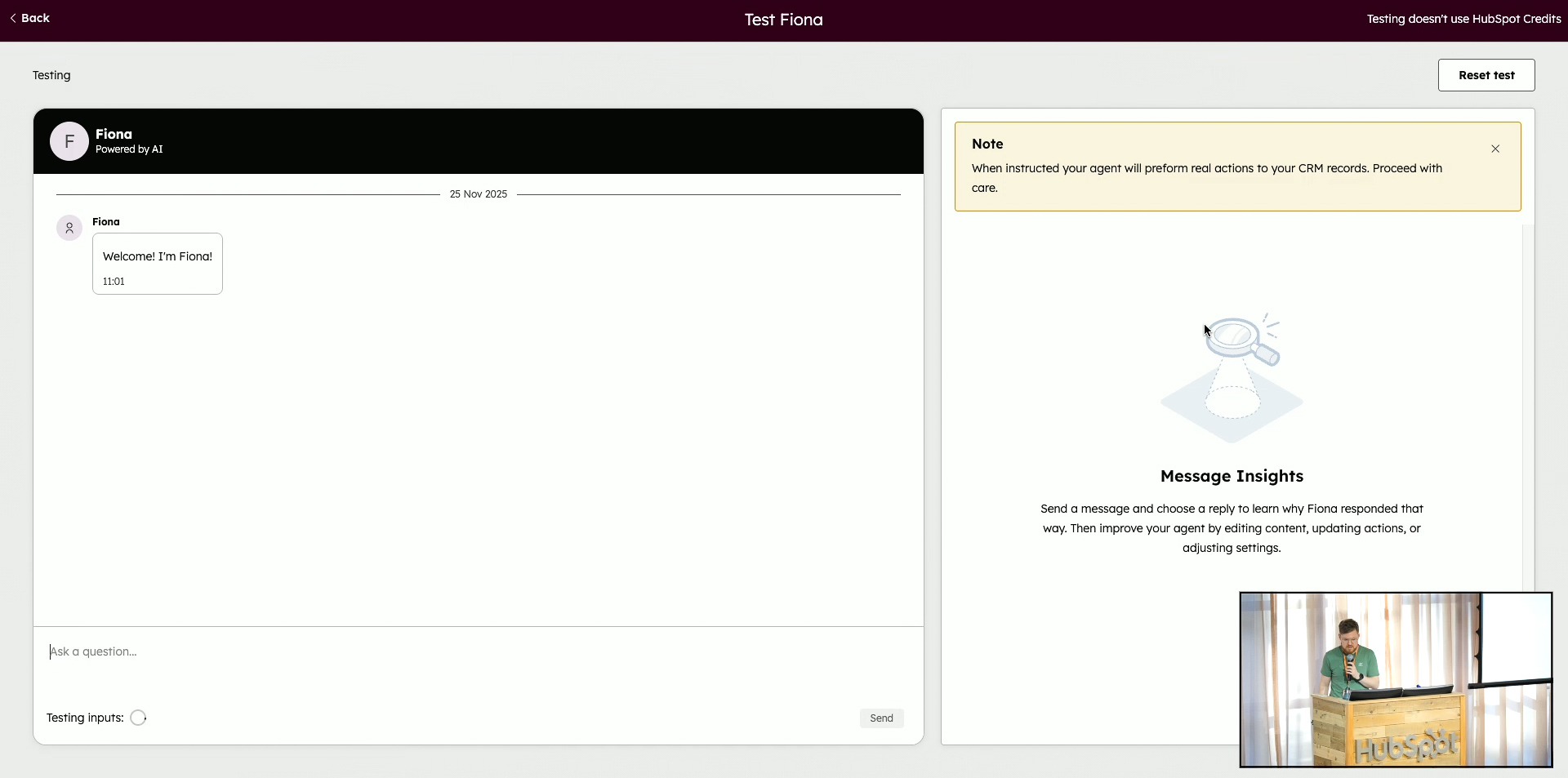
Because of that, you still need to actively test the agent yourself. Using the built-in testing tool, you can ask the kinds of questions customers will ask and see whether the answer feels complete and accurate. If it’s a bit poor or missing key details, you then go back and improve things manually – often by adding or refining short answers or updating your content sources. The agent assumes that whatever you’ve given it is “the full truth”, so you’re responsible for spotting and fixing those weaker responses through ongoing testing.
Does Knowledge Base Agent require a specific HubSpot subscription?
Yes. Knowledge Base Agent requires either Service Hub Professional or Service Hub Enterprise. The reason is that Knowledge Base Agent creates and updates knowledge base articles, and knowledge bases themselves are tied to those higher-tier Service Hub subscriptions.
Once you have Service Pro or Enterprise, Knowledge Base Agent can review knowledge gaps, scan your help desk conversations for answers your team is already giving, draft knowledge base articles and then let you publish them. That in turn improves self-service for customers and also feeds better content back into the customer agent, since it can read and use those knowledge base articles.
Can we have two customer agents trained on two different sets of information?
Right now, no – it’s one customer agent with one shared knowledge set. You can’t have multiple separate agents, each trained on its own completely different content, within the same portal at the time described in the session. If you’re running multiple brands or very different business lines, that means you need to pick one area to focus on first.
The recommended workaround is to train the single agent on the content for the part of the business that will get the most value, and then carefully control where it appears. For example, if one client has both schools and another business line, they train the agent on school-related content and only deploy the chat flows to pages and channels that belong to that side of the business. Fiachrá also mentioned that support for multiple agents is expected in the future, but at this point it’s not available yet.
Can we set different goals for the agent depending on the page or URL (for example, always qualify leads on the pricing page)?
Not currently. Agent goals are defined globally for the customer agent, and the agent then decides in real time what it is trying to do based on the conversation – for example, whether it’s resolving a support query or qualifying a lead. You can’t yet say “on this specific URL, the sole goal should be lead qualification” or attach a unique goal to each page.
What the system does instead is infer intent from the interaction itself. When someone starts engaging with the agent, it tries to work out whether it should be in “support mode” or “qualification mode” and follows the appropriate path without you having to build extra workflows. The request to allow page-specific goals (for instance, always qualifying on a pricing page) was captured as product feedback, but in the setup described it wasn’t something you could configure.
Can the customer agent verify users using a property other than e-mail?
No, verification is currently tied to the e-mail address. In HubSpot, the primary identifier that defines a contact is their e-mail, so the verification logic is based on confirming that the person in the chat is the same as the contact record’s e-mail. That’s why the system uses e-mail as the anchor for verification.
In cases where you’re contacted from a shared or generic address such as support@company.com, this approach becomes tricky. That generic address can exist as a contact record, but the conversation is often about another individual’s data, which raises permission and privacy concerns. Even if in your specific workflow it might make sense to verify on something else, from a security perspective allowing one contact to retrieve another contact’s information would be easy to abuse, so that kind of alternative verification isn’t supported in the behaviour described.
Can the customer agent update the CRM, or is it read-only?
It can absolutely update the CRM, as long as you allow it. You can configure whether the agent is allowed to view and/or edit specific properties, giving you control over what data it reads and what it’s allowed to write back. This is particularly powerful in lead qualification scenarios where the agent asks questions like annual revenue, role in the buying process, or timeframe and then saves those answers directly onto the contact record.
Once that data is captured, it doesn’t just sit there. Because it’s stored in properties, your marketing team can immediately use it for segmentation, you can plug it into lead scoring models, and sales or service teams can see the context at a glance without trawling through conversation transcripts. In short, the agent helps “activate” your CRM data by both collecting and updating it in a structured way.
How does content refreshing work? Does the agent recrawl my whole site when things change?
The agent only refreshes the specific content sources you’ve linked, not your entire site automatically. In the example discussed, the content sources list might include three particular URLs. On refresh, the system revisits those exact pages and updates what it knows from them. If you remove a URL as a source, it is no longer linked and won’t be revisited; the agent won’t continue to crawl it in future refreshes.
If you create completely new pages rather than updating existing ones, they won’t be picked up unless you add them as sources. That might mean either adding the new URLs individually or re-importing content as needed. You can rely on the scheduled weekly refresh for linked content, and you also have the option to force a refresh manually when you know important changes have been made to those linked pages.
Does the customer agent automatically detect and respond in the visitor’s language?
Yes, the customer agent can auto-detect the user’s language from their first message. In the agent identity settings, there’s an option that allows it to determine the language based on that initial input and then continue the conversation in the same language, which is very useful when you’re dealing with international audiences.
That means you don’t have to create separate agents for each language just to handle basic multilingual support. As soon as the visitor’s first message arrives, the system identifies the language and responds accordingly, keeping the interaction natural and consistent for the user.
Where can the customer agent appear? Can we embed it inside our own platform, not just our public website?
Yes, you can have the customer agent appear anywhere that you can run HubSpot’s chat or integrate via the supported channels. The simplest way is through chat flows that are tied to the HubSpot tracking code: if that tracking code is installed inside your platform (for example, on app.yourcompany.com), you can target the chat flow to those URLs and the agent will appear there. The only side effect to keep in mind is that your traffic analytics will then also treat that area as tracked site traffic.
For more advanced setups, there’s also support (via beta features) for assigning customer agent to custom channels through APIs. That route is more technical, but it allows you to plug the agent into your own in-app chat or custom front-end rather than relying on the default widget. So yes, appearing “inside your own platform” is possible—either via the tracking code and chat flows, or via a deeper custom channel integration, depending on your technical approach and preferences.
Live Session Transcript
Follow along in real time, then easily copy the full transcript or your favorite snippets to use with your LLM of choice for questions or content creation.
Built on HubSpot - Powered by avgen.ai (alpha) by Cat Media
Dublin HUG = Your New Community
Share the vibe, shape the next one →
Sales Workspace
Explore the latest Sales Workspace tools and how they help boost productivity and improve pipeline visibility. Katie Magorrian from HubSpot’s Customer Success team walks through real scenarios and shares best practices to help your sales team get the most out of the workspace.
✦ Dublin HubSpot User Group
Prospecting Agent & Target Account
Explore the latest AI-powered sales tools in HubSpot, including the Prospecting Agent and new Target Accounts features. Fiachrá Duffy demos what’s possible and dives into a live Q&A on how sales teams can get the most from these updates.
✦ Dublin HubSpot User Group
Prospecting Agent & Target Account
Explore the latest AI-powered sales tools in HubSpot, including the Prospecting Agent and new Target Accounts features. Fiachrá Duffy demos what’s possible and dives into a live Q&A on how sales teams can get the most from these updates.





.jpg?width=1200&length=1200&name=HUG%20Dublin%20-%20OCT%202025-070%20(1).jpg)


