Taylor Pechacek
Director, Product Manager @ HubSpot
Taylor Pechacek is a product leader at HubSpot, where he is building new AI-native products that reimagine how to connect people, data, and AI so teams can achieve more ambitious outcomes.


Director, Product Manager @ HubSpot
Taylor Pechacek is a product leader at HubSpot, where he is building new AI-native products that reimagine how to connect people, data, and AI so teams can achieve more ambitious outcomes.

Head of Marketing and Product @ Presspage
Teis Meijer is Head of Marketing & Product at Presspage, an enterprise corporate communications platform. He works across product and marketing: defining what a product does, pricing it, and running the campaigns that take it to market.

Head of Strategic Marketing @ Tribute Home Care
Brian Cavoli is a growth and marketing leader with more than 25 years of experience at the intersection of business strategy, technology, and customer growth.
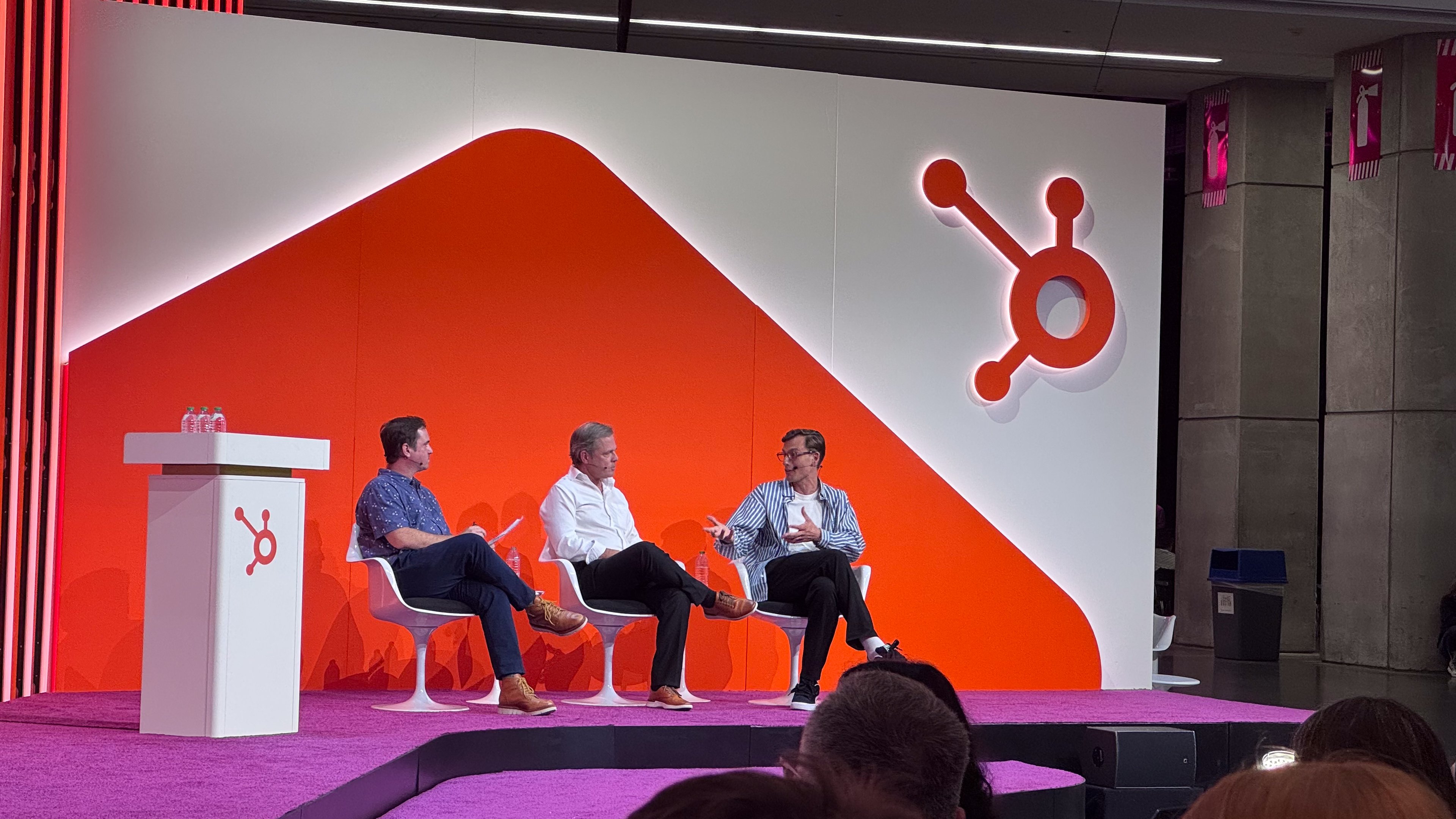 Taylr Pechacek, Teis Meijer and Brian CavoliFirst Look: HubSpot’s New AI Work Management Product
Most of the work that decides whether a customer relationship succeeds does not happen inside the CRM. It happens around it — in onboarding plans, event runbooks, account strategies and campaign checklists that live in Monday, ClickUp, spreadsheets and shared documents, permanently disconnected from the customer data that should be driving them. This session, hosted by product lead Hannah Baca, opened with that gap and then handed the microphone to two practitioners who have been running HubSpot Work Management in private beta to close it.
What followed was less a product tour than a pair of honest field reports: one on turning major-account planning from an annual slide deck into a daily operating habit, the other on making a webinar and PR machine run without a small marketing team drowning in repetitive production work. Between them sat the more interesting argument — that when work and customer context finally share a home, the system itself starts getting smarter.
The framing was deliberately unglamorous. Onboarding a client, planning an event, managing a key account — these are the operational motions that determine whether a deal turns into a relationship. Yet almost none of them are captured where the customer record lives. They are scattered across project tools, spreadsheets and documents, each with its own owner, its own status field and its own version of the truth.
HubSpot's answer, presented here for the first time in public beta, is to bring that layer of work directly into HubSpot as AI-native work management. The pitch is not "another task tool". It is that the plan, the tasks and the customer data should be the same object, so that progress updates context and context informs the next action.
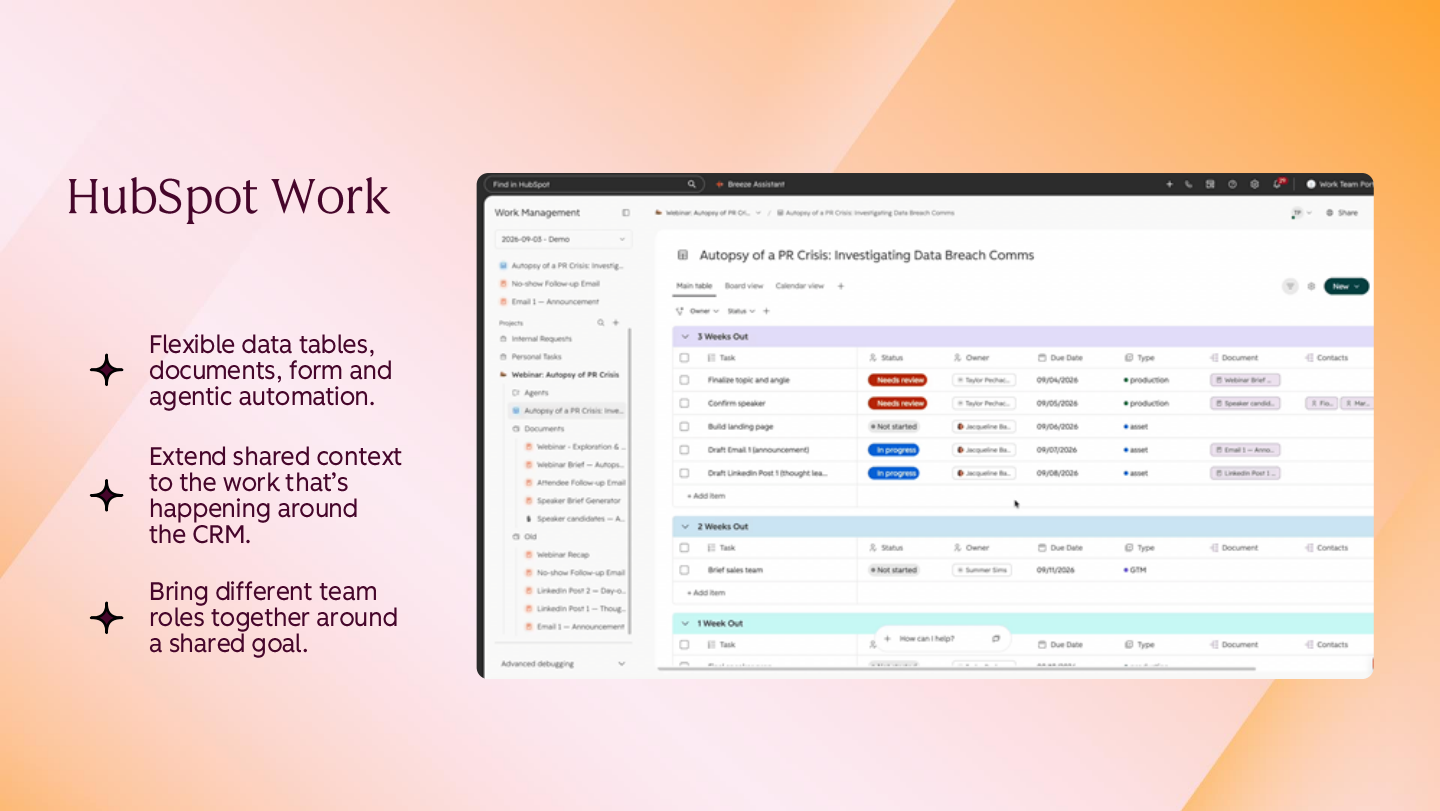
The product overview was compressed into three claims, each of which the customer stories later tested. The first is flexibility: boards, data tables, forms and agents all live inside the product, and the agents are positioned as colleagues that pick up work rather than as a bolt-on assistant.
The second is shared context. Because work lives in the CRM, it updates automatically, with real-time visibility of owners and due dates, and contacts, deals and campaigns can be linked to the operational tasks that serve them. The third is a single shared plan: RevOps, sales, marketing and the person who actually owns the event or the account all work from the same artefact, with agents doing the heavy lifting underneath.
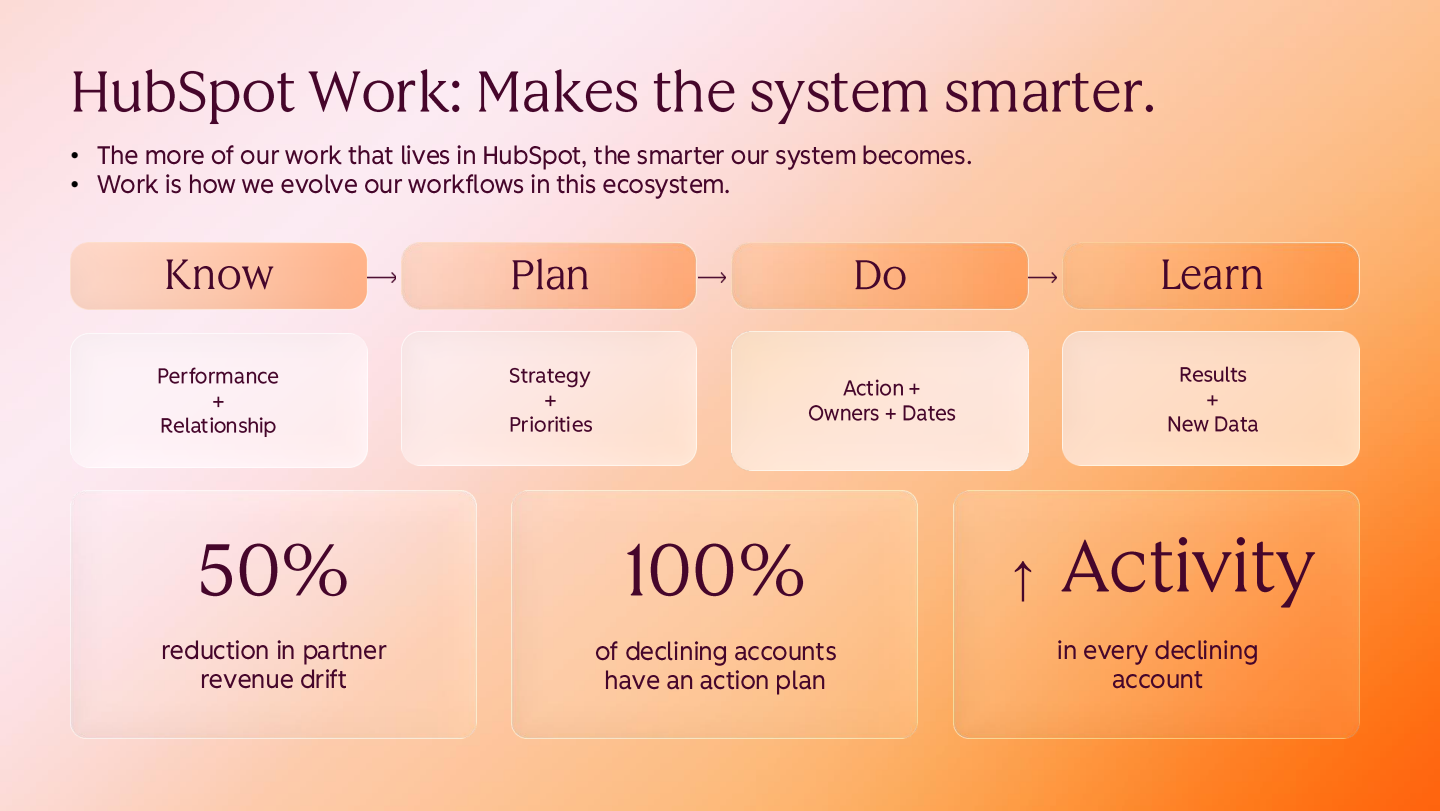
The loop the product is designed around: Know, Plan, Do, Learn — with each completed cycle feeding the next.
The first use case came from Brian, who leads a team in healthcare shipping where a small group of clients and partners accounts for a disproportionate share of revenue. Strategic planning for those accounts was never the problem — his reps produced genuinely good collateral. The problem was where it went afterwards.
"It sits on a PowerPoint deck that sits on a server that's visited a couple of times a year."
Everyone worked in HubSpot every day, yet there was almost no visibility into whether the plan was being acted on. The conclusion was blunt: planning had to stop being an annual artefact and become an operating habit — "part of our workflow, part of our daily systems every single day" — which meant it had to live where the team already spent its time. Every major account now has its own dedicated workspace in Work Management.
The reported result was a measurable improvement in major-account growth, which Brian attributed less to the software than to the rigour it imposed: more rigour, better results. The second-order benefit mattered more to him. Account teams, services teams and marketing now go into HubSpot far more often — updating tasks, updating actions, reviewing outcomes — so plans and learnings accumulate in the same place. More context in HubSpot makes the AI smarter, which is expected to compound downstream.
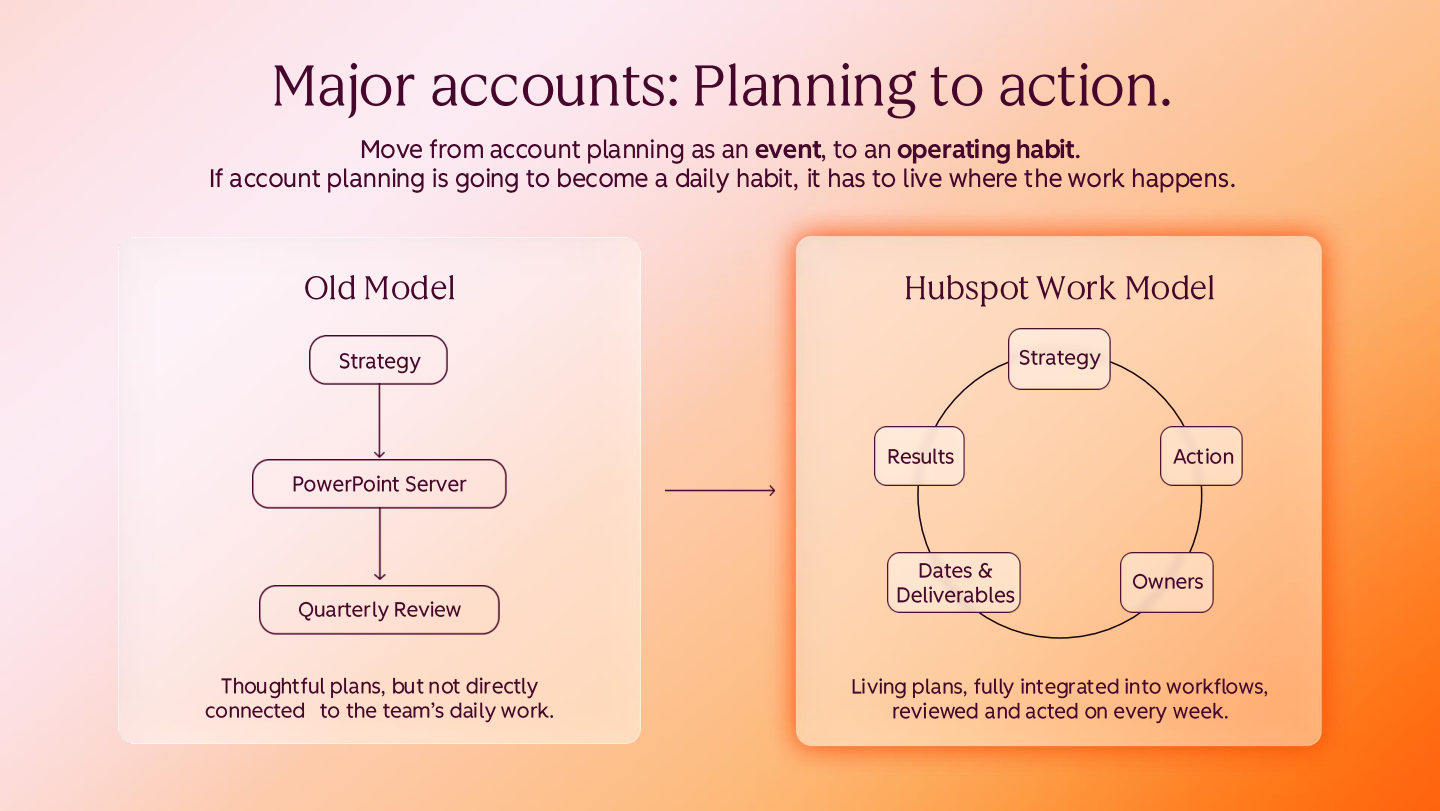
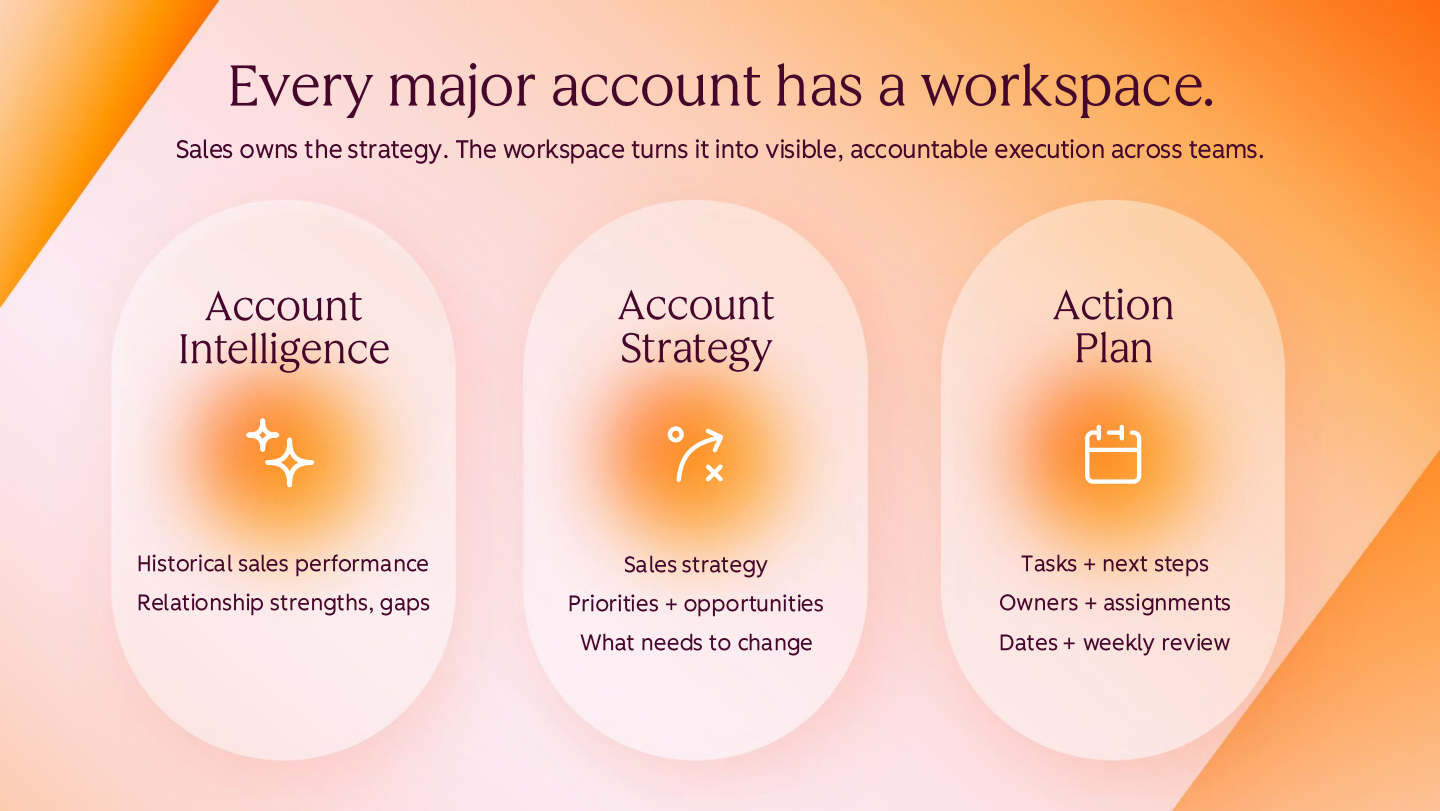
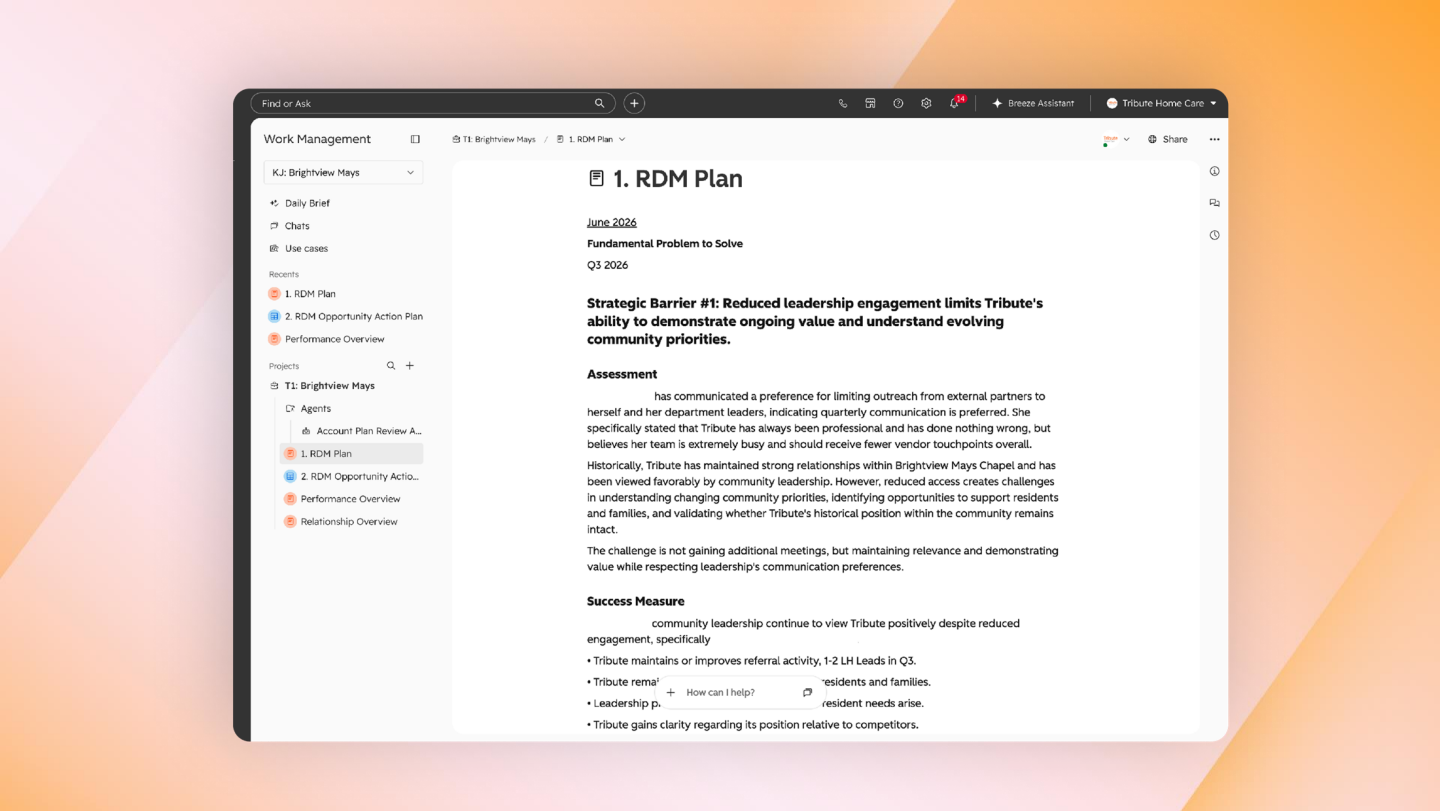
The walkthrough — with confidential client detail redacted — showed how the plan is assembled rather than merely stored. AI goes first: it reviews the account history, performance with the partner, sales trends and services provided, then reads across every account note to synthesise relationship history, weaknesses, opportunities and unmet needs.
Only then does the human layer arrive. The relationship development manager — the rep who actually sits in front of the client — adds their on-the-ground judgement once a year, and the combination becomes the account strategy. That sequencing matters: the AI handles recall and synthesis, the rep supplies intent.
Structurally, the workspace keeps plans and rep sections on the left, a wiki page holding the AI-assembled plan (barrier or goal, what the team is trying to accomplish, who is assigned), and then a conventional project view with actions, named owners and due dates. The effect is that marketing activity and delivery commitments finally sit next to the strategy that justified them.
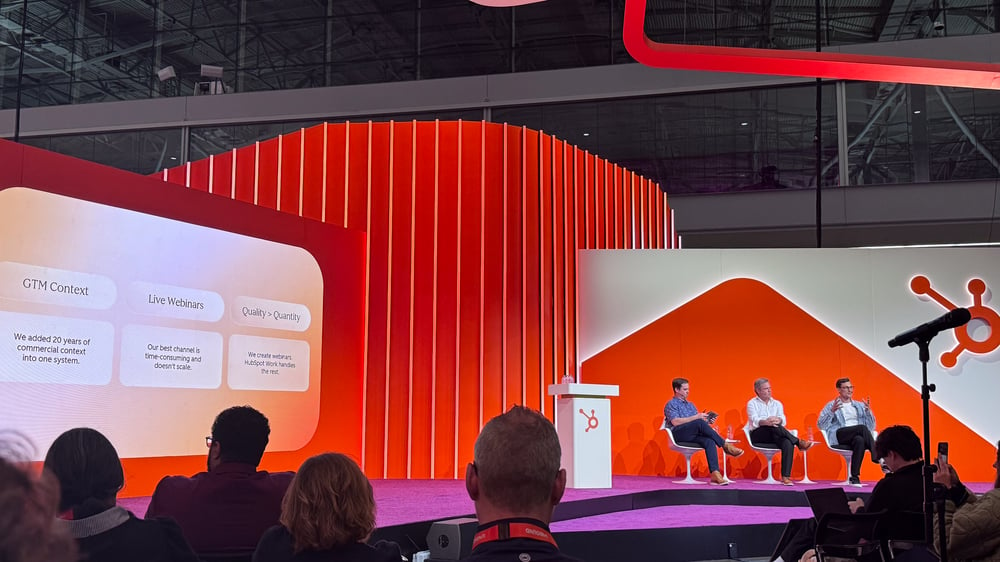
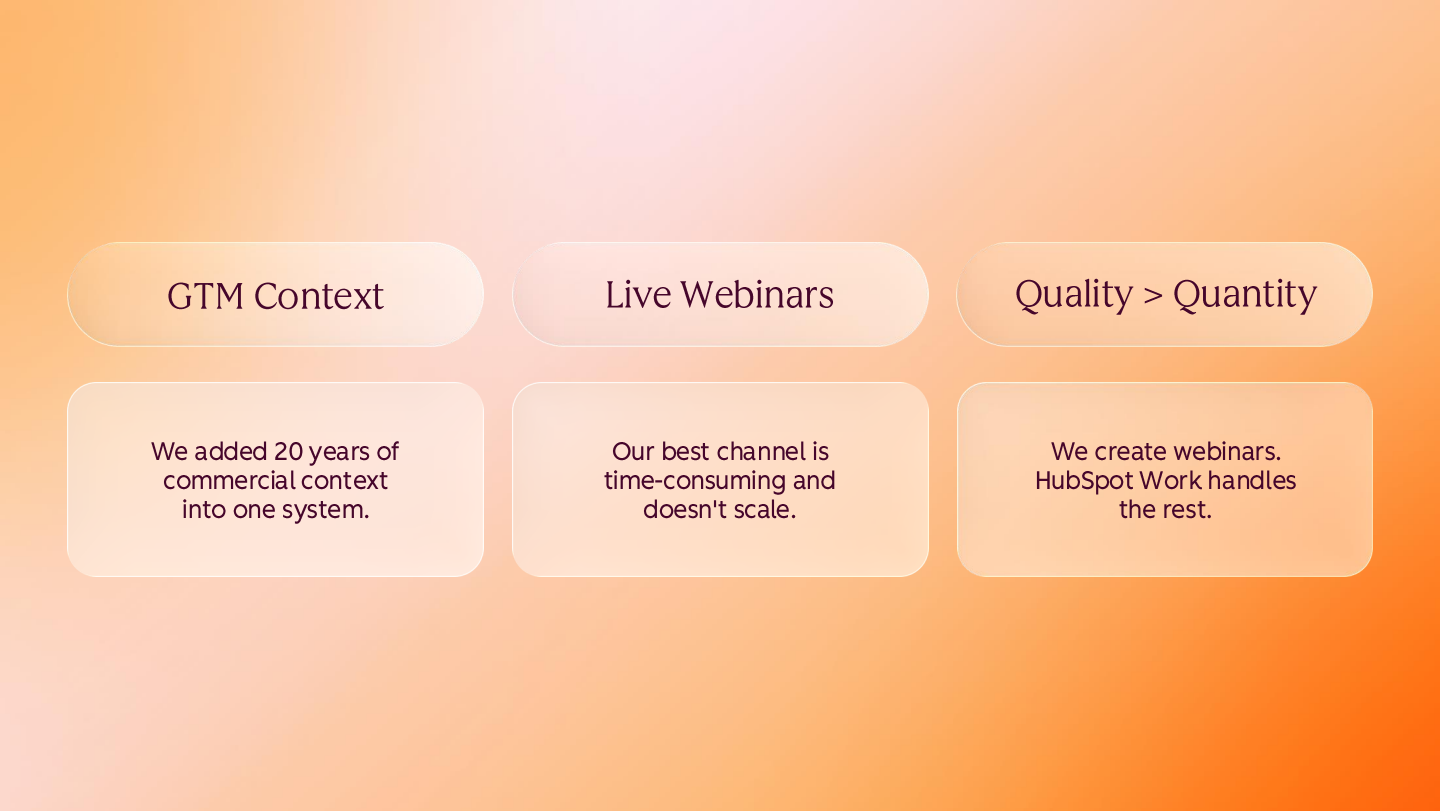
The second story came from Tyson, who leads product and marketing at Trustpage, a verification and certification software business selling to large global brands. Sales cycles run roughly six to nine months across many touchpoints, channels, stakeholders and gatekeepers, and two decades of operation have left a substantial volume of data behind. Around two and a half years ago the company decided to consolidate that data into one system in a scalable way, precisely so that AI use cases would become possible later. Work management is how they now reach those applications.
Their go-to-market motion leans heavily on live webinars, because their audience of communications professionals genuinely enjoys sharing a space and interacting. The catch is that webinars are not a scalable motion for a very small team: every edition demands the same tasks and the same content pieces, regenerated from scratch, none of which adds much to the value of the webinar itself. The ambition was to spend the time on creative, entertaining content and on the attendee experience instead — while still driving registrations.
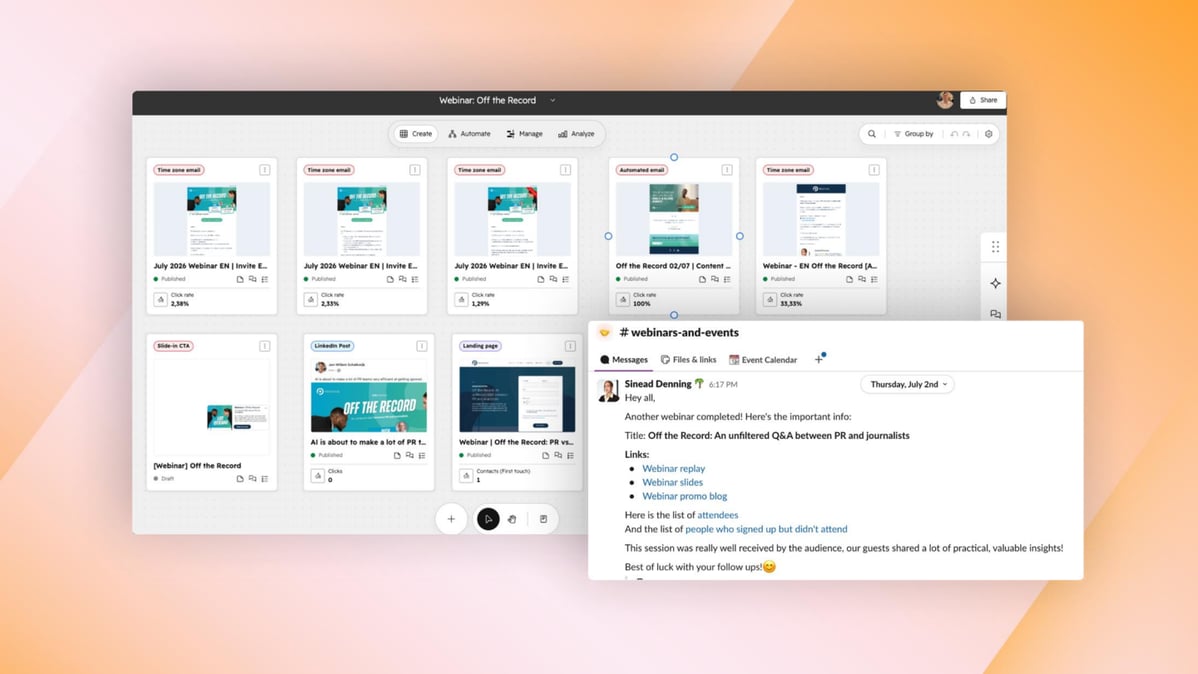
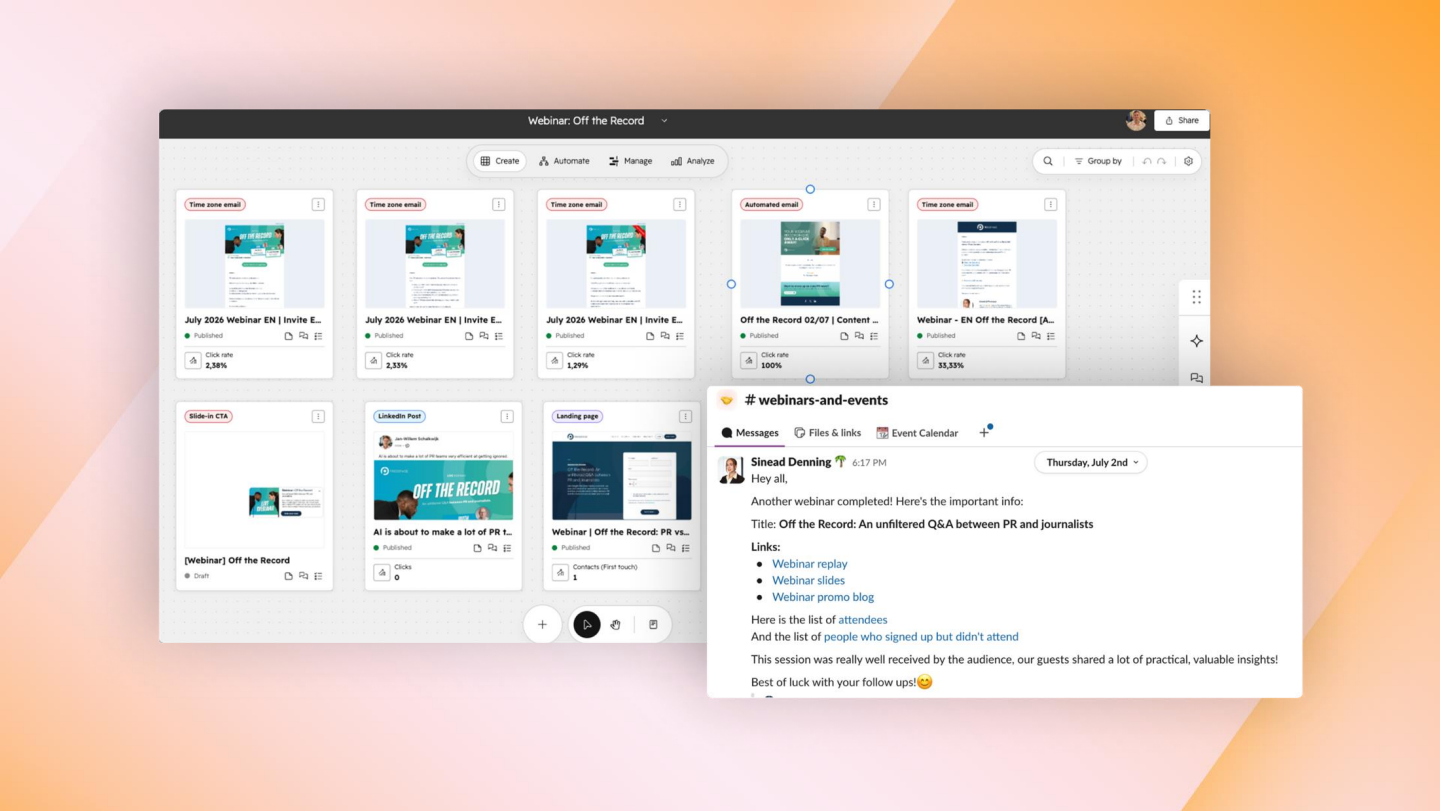
The mechanism is trigger-based. Scheduling a webinar in the webinar software prompts Work Management to create the project plan automatically, assign tasks to the right stakeholders, set deadlines and tick off work already completed. The same pattern extends to PR, where a workspace hosts the back-and-forth between the PR lead and journalists — including, in one example, a journalist asking for different or better photography — absorbing repetitive internal and external communication.
What surprised the team was how far the value moved. It was scoped as a replacement for Asana and Google Docs; the AI turned out to be considerably more capable, progressing from first-draft copy to full artefact generation. It writes in the user's own style, structure and tone of voice — "a perfect newsletter for me" — and now produces the actual assets: email, landing page, form, blog and social post, appearing directly beneath the task rather than as a separate document. Assets live in Marketing Studio, some built by hand and some by a custom Work Management agent the team created. The coverage test was involuntary: while a colleague who owns content and events was on holiday, the system still sent out the message, with slides and the attendee list intact. Leadership, meanwhile, gained visibility of how webinars performed and who attended, with the project management handled underneath.

Both guests began the same way — clicking through menus and buttons — and both were told the same thing: just ask. The Omni bar turns configuration into conversation, and the shift changed how quickly they could build. For the major-account use case, replicating one workspace structure across many accounts by hand was laborious; instructing the AI to "replicate this, change this, don't include this" made each variant quick.
The chat capability exceeded expectations in a more literal test. One guest uploaded a spreadsheet of tasks together with screenshots of their existing Asana boards; the AI asked a handful of clarifying questions and built out the entire project scope. Iteration proved equally conversational — shifting a plan towards external speakers, or adding a named person mid-flight, without rebuilding anything.
Two observations stood out. First, the AI inside the product knows more about the product's own capabilities than any individual user does, and includes a plan mode for designing a process before executing it. Second, prompting skill transfers: teams already fluent with Claude and similar tools can reuse the same queries inside HubSpot and get better answers, simply because the product has access to more context and data.
The most transferable advice of the session had nothing to do with features. Both teams fitted Work Management to the process they already ran, rather than forcing a process change in order to adopt a product.
"The whole project didn't change, the tasks are the same, it's just in a different environment — and you could argue a more enabling environment for the tasks."
The rollout pattern was builder-led: in both cases a single person built the workspace with AI, then rolled it out — to the sales team and the client solutions team in one instance. That is fast, but it creates its own risk. Project-management thinking is intuitive for marketers and distinctly less so elsewhere; getting sales and client solutions to work at that level of detail required education and repetition, and documenting the process steps explicitly.
Reinforcement from the top proved decisive. The sales leader scheduled a Monday review of each major account plan, which meant records had to be current before the manager meeting — a simple cadence that did more for adoption than any feature. The candid counterweight came from the enthusiastic early adopter's own admission.
"I have the tendency to kind of try and then run away with it and I expect people to just join in, but it hasn't been totally like this."
Work Management is positioned as a horizontal AI work engine rather than a departmental tool, and the private beta bore that out: sales account planning, client onboarding and marketing coordination all ran on the same foundations. One guest now runs roughly four use cases simultaneously, including customer implementation and a notably ambitious product-feedback loop.
In that fourth case, an agent runs across all active contacts and accounts, picks up every touchpoint — chat interactions, webinars, website activity, emails — transcribes and parses them, extracts snippets of product feedback such as feature requests, pricing objections and competitor mentions, and routes them so product management can act. It is a good illustration of what becomes possible once the work layer and the customer data share a substrate.
The counsel to the room, however, was restraint. Start with one high-pain, high-value use case rather than deploying everything at once; the second guest began with a single chaotic manual process and only then widened the question to which parts of our go-to-market strategy happen outside HubSpot and require collaboration? The data captured in those places is treated as valuable in its own right, because it is what the system learns from.